Use the Data Block Wizard to create an OFFICE block (detail to the REGION master block). First, select the OFFICE table from the database, and map its columns to database items in the data block.
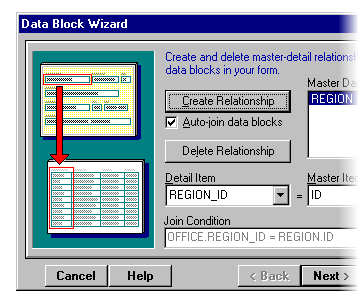
Next, on the Master-Detail page, select REGION as the master block. The tables have a primary-key to foreign-key relationship (office.region_id = region.id), so Form Builder automatically builds a join condition for the two blocks.
|
|
|
|
