and close the XML according to element tags.
This improves readability. You
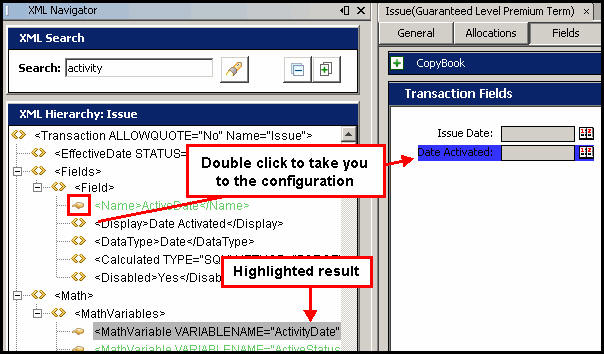
can also search from this window. All results are
highlighted in the XML Hierarchy box. Any
line with an associated
and close the XML according to element tags.
This improves readability. You
can also search from this window. All results are
highlighted in the XML Hierarchy box. Any
line with an associated  finger icon can be used to navigate to the
point of configuration where it is used.
finger icon can be used to navigate to the
point of configuration where it is used.