Oracle® Insurance Rules Palette 9.4.0.0 E18894_01
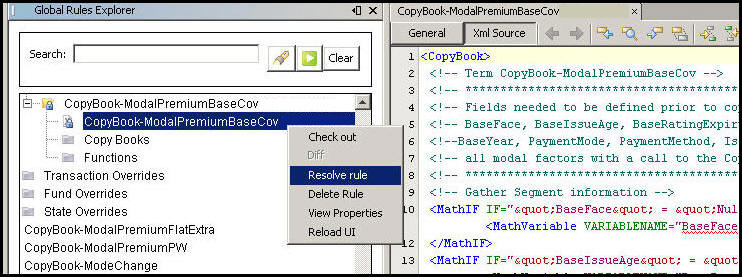
Vew all the XML code in a rule’s configuration by selecting Resolve rule. Resolving a rule will show CopyBook information instead of just the CopyBook call. This displays the configuration in its entirety so that code can be analyzed thoroughly.
Navigate to the rule and expand its folder.
Right-click on the rule’s XML file.
Select Resolve rule.
The resolved rule displays in the Configuration Area.
CopyBook Resolve Rule Right-Click Option
Copyright © 2009, 2011, Oracle and/or its affiliates. All rights reserved. Legal Notices