
| STA User Interface Guide, v1.0.2 |
| E28380-03 |

|

|

|

|
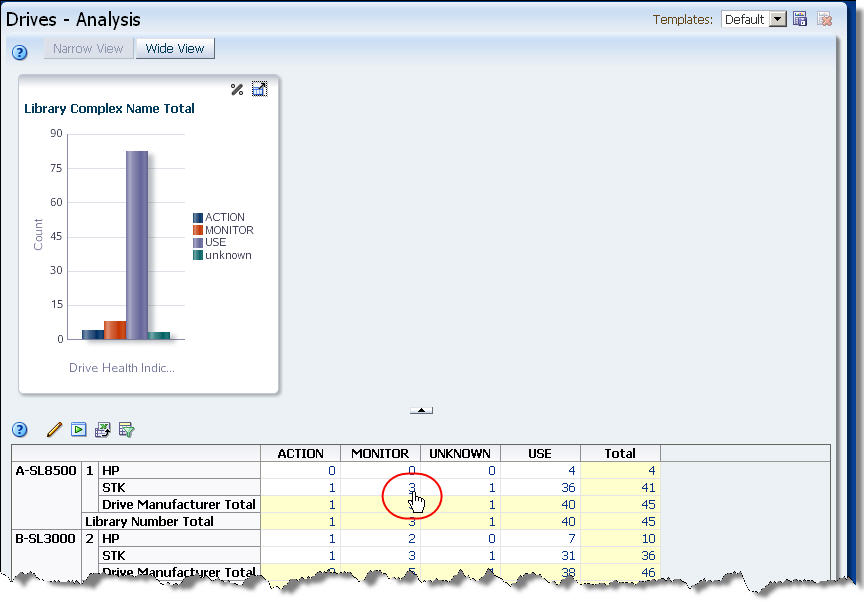
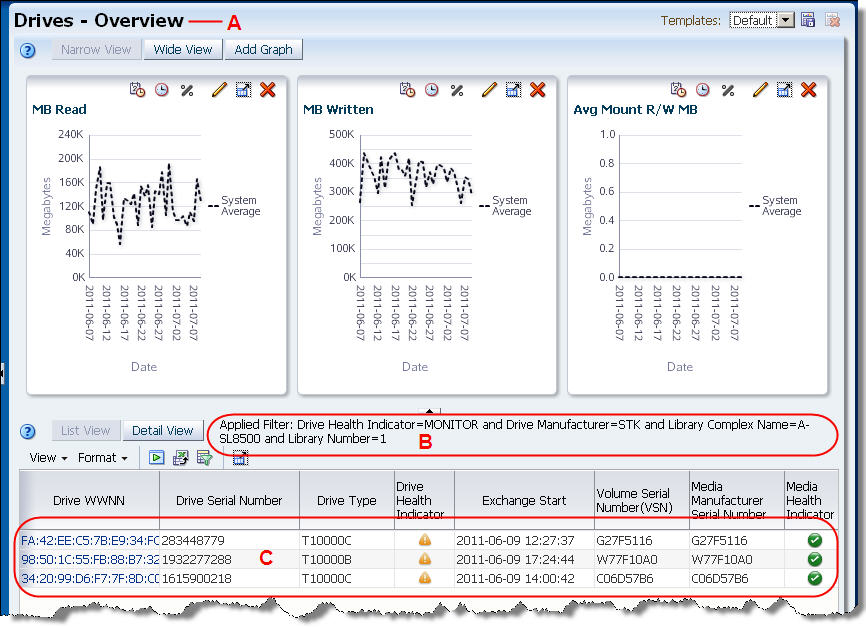
You are taken to the Drives – Overview screen, which displays additional detail for the three drives.
|
•
|
B – Table filter description is updated to reflect the filter criteria represented by the aggregate count on the Drives – Analysis screen. See “Filtering Overview” for details on the table filter description.
|
|
3.
|
Click any of the text links in the Drive WWNN column to display complete details for an individual drive. At this point, see “Use Resource ID Links to Navigate”, starting with Step 2, for sample instructions.
|
|
|
|
|
|

|
| Copyright © 2012 Oracle and/or its affiliates. All rights reserved. | Legal Notices |