MDEX Engine logging is supported in service mode.
When the MDEX Engine is run in service mode, it will log startup and shutdown messages to its stdout/stderr log, which is specified by the Dgraph --out flag.
When the service is started:
INFO 03/01/11 20:55:44.578 UTC (1299012944577) DGRAPH {dgraph,baseline,
service}	Starting in service mode.
When the service is stopped by the user (such as from the Windows
Services utility):
INFO 03/01/11 21:32:14.500 UTC (1299015134500) DGRAPH {dgraph,service}
Stopping on user request.
Shutdown request with time limit of 120 seconds received at Tue Mar 01
16:32:14 2011.
Shutdown will complete when all outstanding jobs are complete, or within
120 seconds, whichever happens earlier.
When the service is stopped as part of a system shutdown:
INFO 03/01/11 21:53:41.469 UTC (1299016421469) DGRAPH {dgraph,service}
Stopping on system shutdown.
Shutdown request with time limit of 15 seconds received at Tue Mar 01
16:53:41 2011.
Shutdown will complete when all outstanding jobs are complete, or within
15 seconds, whichever happens earlier.
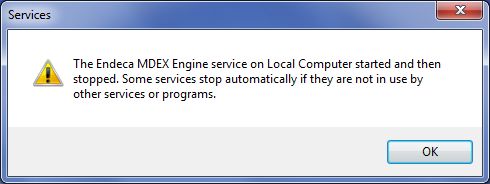
If Dgraph stdout/stderr is not redirected to a file in service mode, all log messages will be lost. Therefore, when the MDEX Engine is run in service mode, the Dgraph --out flag is required. If the Dgraph --out flag is not supplied, the service will not start. If you try to start it from the Windows Services utility, Windows displays this error message:
To recover from this situation, use the SC Config command to modify the binpath parameter of the service and add the --out flag.
