The Windows Services utility allows you to control and configure the MDEX Engine service.
The MDEX Engine service, when selected in the Windows Services utility, looks like this example:
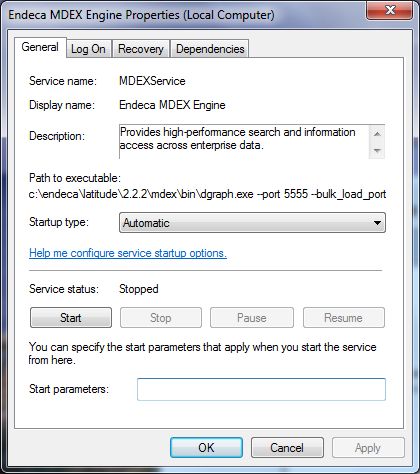
General tab
The General tab allows you to start and stop the MDEX Engine service. Either operation will log an appropriate message to the MDEX Engine's stdout/stderr log.
- A query still in progress when the time limit is reached will not return a result to the client and will not be logged in the Dgraph log.
- An update still in progress when the time limit is reached will not be applied.
- A background merge still in progress when the time limit is reached will be aborted at the end of the timeout.
- The number of in-progress queries is written to the Dgraph error log just before exiting, along with a message stating that the shutdown time limit was reached.
You can use the Startup type drop-down menu to change the startup type to Automatic, Automatic (Delayed Start), Manual, or Disabled. Clicking the help link displays usage information for this option.
Note that the Start parameters field has no effect on the service.
Log On tab
The Log On tab allows you to change the account under which the MDEX Engine service runs. This option is especially useful if you created the service to run under the Local System account and want to change to a user account. The tab has a help link that provides detailed information on configuring the user account log on options.
Recovery tab
The Recovery tab is used to configure recovery actions when a service fails. You can configure the MDEX Engine service for automatic restart. That is, the MDEX Engine service will restart in the case of a crash or machine reboot.
To obtain information on how to configure the computer's response if the MDEX Engine fails, click the "Help me set up recovery actions" link on the tab.
