While staging and production environments can have identical or very similar hardware setup, they differ from each other.
This diagram introduces the differences between staging and production environments and explains how they relate to each other:
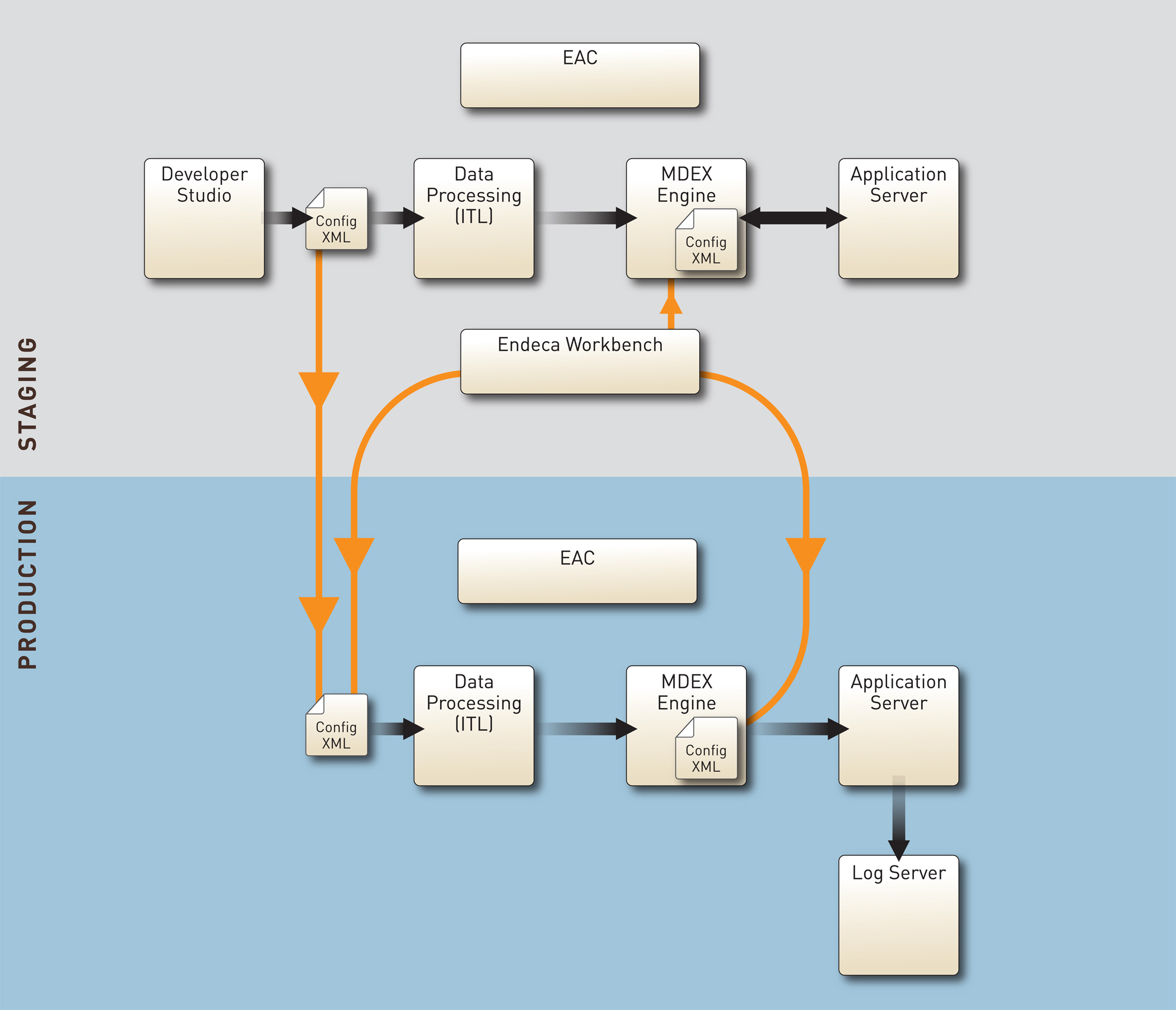
In this diagram:
- The top portion of the diagram describes the data and configuration workflow within a staging environment. This workflow takes place when you create your pipeline, provision and initialize the application to the EAC, either with the Deployment Template or by using Endeca Workbench, and then run the baseline or partial update scripts. Next, the data is prepared for indexing and is processed by the MDEX Engine. The MDEX Engine receives queries from the front-end application and returns results to the front-end application on the Application server.
- The bottom portion of the diagram describes the data and configuration workflow within a production environment. This workflow takes place when you run updates on production servers and also enable the front-end application to send user queries to the MDEX Engine server for processing. Note that the production environment does not include Developer Studio and Endeca Workbench, because by this point, the configuration files and operational settings from the staging environment are replicated in the MDEX Engine running in the production environment.
- Most importantly, the arrows
in this diagram that connect the staging and production environments describe
what is involved in pushing your staging data into production. To push your
project's data and configuration from staging to production, you typically
perform these two high-level steps:
- Copy configuration files from the pipeline (Developer Studio) and Endeca Workbench (if you are using it) to the incoming directory on the Data Processing (ITL) server in the production environment from which Forge will consume it. You can accomplish this task by running the scripts within the Deployment Template.
- Promote configuration files (typically created in Endeca Workbench) to the MDEX Engine server in the production environment. This enables the MDEX Engine to use your project's configuration settings. The Configuration Manager of the Deployment Template lets you specify which files created in Endeca Workbench it needs to promote to the MDEX Engine server in the production environment.
