After you load the dimension values, you will notice that each dimension value has two synonyms. One synonym is the name of the dimension value used for display in an application, and the second synonym is an ID required for dimension value mapping.
You should not modify these synonym values.
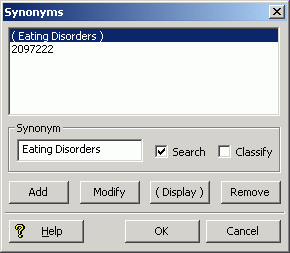
The synonym with the name of the dimension value has default settings where Search is checked and (Display) is enabled, as shown in the following example. These settings allow an application user to search and navigate on the Eating Disorders dimension value.
The ID synonym has default settings on the Synonym editor where Classify is checked and (Display) is disabled, as shown in the following example. The Classify setting instructs Forge to use the ID synonym during record classification.
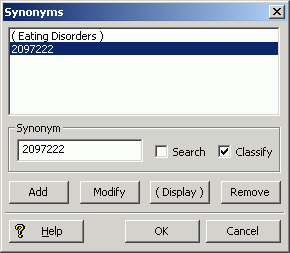
The ID synonym is based on a topic’s id element as shown in the Stratify taxonomy. In the example above, here is a portion of the topic element for the Eating Disorders topic in the Ask Alice taxonomy:
<topic id="2097222" name="Eating Disorders" ...</topic>.
