Building a graph to delete data requires that you add the Delete Data connector to the graph.
This procedure assumes that you have added the delete input file to the data-in folder of the project and have also created an empty graph.
To add components to a graph for deleting records:
- In the Palette pane, open the Readers section and drag the UniversalDataReader component into the Graph Editor.
- In the Palette pane, open the Discovery section and drag the Delete Data connector into the Graph Editor.
- In the Palette pane, click Edge and use it to connect the two components.
- From the File menu, click Save to save the graph.
At this point, the Graph Editor with the two connected components should look like this:
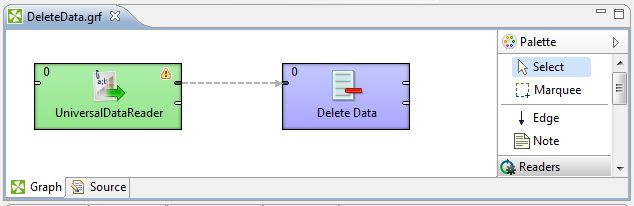
The next tasks are to configure the components.
