You must configure the Delete Data component for the Endeca data store that contains the records.
This procedure assumes that you have created a graph and added the Delete Data connector.
To configure the Delete Data connector:
- In the Graph window, double-click the Delete Data component. The Integrator Edit Component dialog is displayed.
-
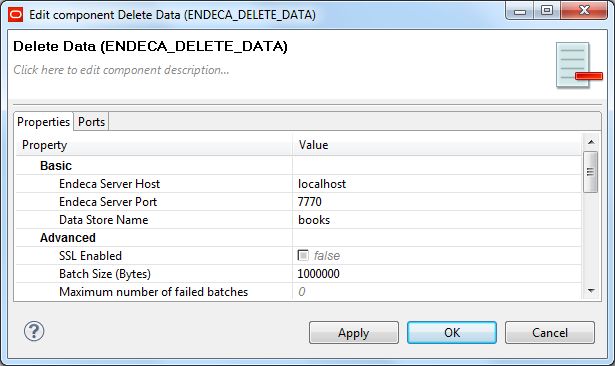
In the Edit Component dialog, enter these settings:
- Endeca Server Host: The host name of the machine on which the Endeca Server is running.
- Endeca Server Port: The port on which the Endeca Server was started.
- Data Store Name: The name of the Endeca data store that contains the records to be removed or modified.
- SSL Enabled: Toggle this field to true if the Endeca Server is SSL-enabled.
- Batch Size (Bytes): Enter an integer greater than 0 to set the batch size in bytes. Specifying 0 or a negative number will disable batching.
- Maximum number of failed batches: Enter a positive integer that sets the maximum number of batches that can fail before the operation is ended. Entering 0 allows no failed batches.
- When you have input all your changes, click OK.
- Save the graph.
After configuration, the Writer Edit Component dialog should look like this example: