This task describes how to configure the UniversalDataReader component to read in the KVP data.
This procedure assumes that you have created a graph for the KVP components and that you have copied the input file (named NewProductInfo.csv in our example) into the data-in folder in the Navigation pane of the project. The procedure also assumes that you will be using the UniversalDataReader component to read in the KVP input data.
To configure the UniversalDataReader component for the KVP input file:
- In the Palette pane, open the Readers section and drag the UniversalDataReader component into the Graph Editor.
- In the Graph Editor, double-click the UniversalDataReader component to bring up the Reader Edit Component dialog.
-
For the
File URL property:
- Click inside its Value field, which displays a ... browse button.
- Click the browse button.
- Click the Workspace view tab and then double-click the data-in folder.
- Select the KVP input file and click OK.
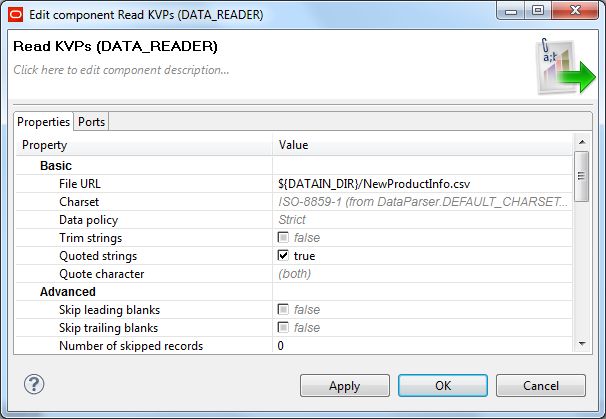
- Check the Quoted strings box so that its value changes to true.
- Leave the Number of skipped records field set to 0.
- Optionally, you can use the Component name field to provide a customized name (such as "Read KVPs") for this component.
- Click OK to apply your configuration changes to the UniversalDataReader component.
- Save the graph.
After the component is configured, the Reader Edit Component dialog should look like this example: