Data Visualization components, available from the Information Discovery section of the Add Component dialog, provide more detailed or alternate views of the data.
Alerts
Displays messages to users to highlight values for those records. For example, alerts can be used to flag attribute values that fall outside of a specific range.
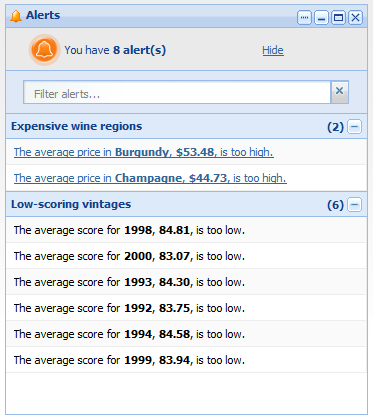
- Whether end users can use an alert to refine the data
- The data source for each alert
- The EQL query for each alert
- The text of the alert messages
Chart
- Bar charts
- Line charts
- Area charts
- Pie charts
End users may be able to select different metric or dimensions in order to change the chart display.
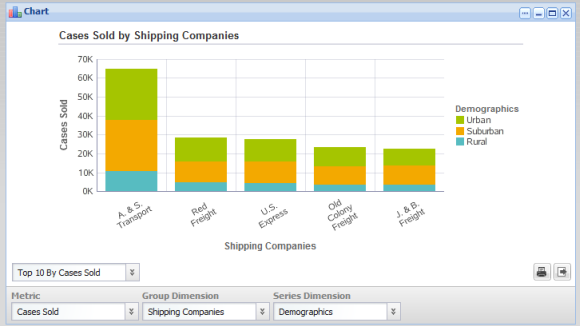
- The data source and view to use
- The chart type
- The dimensions and metrics to display on the chart
- The chart style, including options for displaying the chart legend and axes
- Whether end users can change the chart metrics and dimensions
Compare
Allows end users to do a side-by-side comparison of attribute values for records selected from a Results Table component.
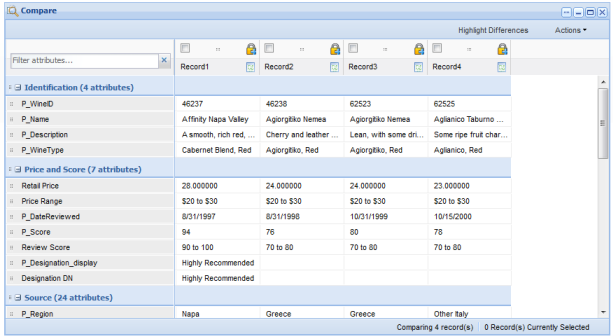
- The data source
- The attributes to include in the comparison
- Whether to allow highlighting to emphasize different values
Cross Tab
Generates a table that allows end users to perform comparisons and identify trends across several cross sections of data.
End users can export the data to a spreadsheet, and may be permitted to change the table layout.
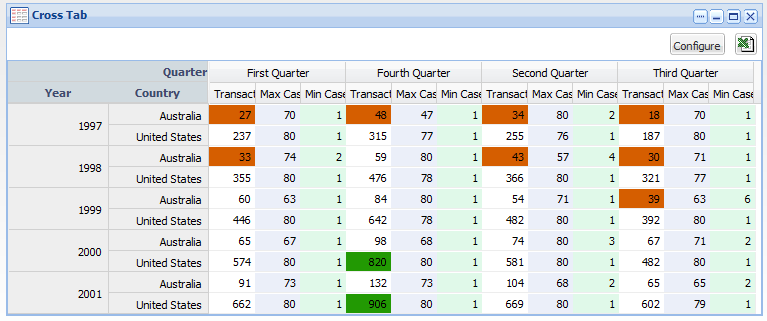
- The data source
- The EQL query to generate the available metrics and dimensions
- The layout of the metrics and dimensions
- The size of the table and window
- Highlighting for specific metric values
Map
Displays one or more sets of geographic locations.
End users can search for locations, and display details for a specific location.
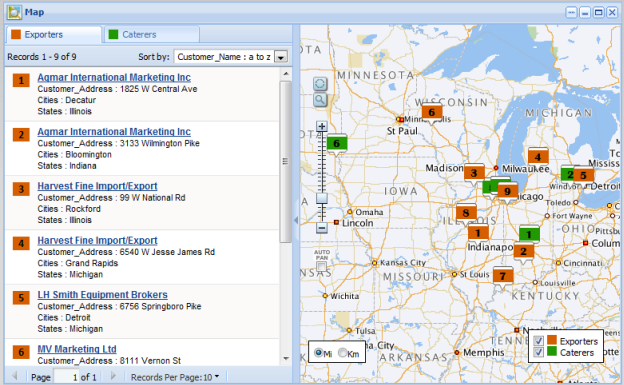
- The available search options
- The lists of locations,
including:
- EQL queries to generate the lists
- Sorting and pagination options
- The attributes to include in the location details
Metrics Bar
Provides a quick view of metrics that summarize various aspects of the data. End users can display additional messages related to the metric value.
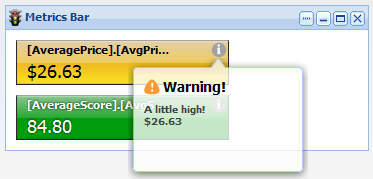
- The data source
- The EQL queries to generate the metrics
- The display format for each metric
- The message to display for the metric based on the current value
Tag Cloud
Displays the distribution of text values for an attribute in the current data. Values that occur more frequently are in larger and bolder type.
End users may be able to use the values to refine the data.

- The data source
- The attribute to use
- The number of values to display
- Whether end users can use the values to refine the data
