You edit Studio components in order to further customize your end users' experience. For example, you can specify the data source to use, the attribute groups to display, and the format of displayed data.
The general process for editing a component is the same for each component. For detailed information about configuring specific components, see the component documentation.
To edit a Studio component:
-
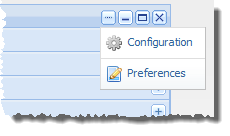
In the component's title bar, click
..... In the drop-down menu, click
Preferences.
The edit view for the component is displayed.
The edit view covers the entire workspace. You cannot see or edit any other components.
- Edit the settings for the component.
- To save your changes, click Save Preferences.
-
To exit the edit view, click the
Return to Full Page link at the top right
corner of the edit view.