After you add a component to your application, you can rename it to reflect your own terminology or the content being displayed.
To rename a component:
-
Click the title bar of the component.
The default title becomes editable.
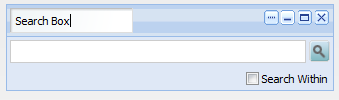
- Overwrite the existing title with your new one.
-
Click outside of the title bar.
The component now uses the new title.
