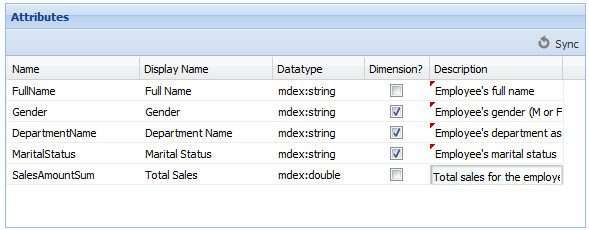
On the View Manager component, the Attributes list contains the list of view attributes.
Each attribute in the view definition is used to create an entry in the Attributes list. From the Attributes list, you can configure the attribute display name, attribute description, and whether each attribute can be used as a dimension.
To manage the list of view attributes:
-
On the
Attributes panel, to synchronize the
attributes list with the current view definition, click
Sync.
The list is updated to contain the attributes that are in the current view definition.
-
To change the display name of an attribute, click the
Display Name field, then type the display
name.
The display name does not need to be NCName-compliant.
-
To change the data type for an attribute, click the
Datatype field, then from the drop-down list,
select the data type.
Note: Changing the data type manually is not recommended. The data type assigned by the synchronization process should be correct.
-
Use the
Dimension? column to indicate whether the
attribute can be used for grouping.
If the checkbox is checked, the attribute is a dimension.
By default, all string attributes are dimensions.
- In the Description column, type a brief description of the attribute.
