This topic describes how to run the OBI Server wizard to retrieve data from an Oracle Business Intelligence Server (OBI Server).
To create a project to load data from an OBI Server:
- In the Menu bar, choose File > New > Project. Integrator displays the New Project dialog.
-
Expand the
Information Discovery Node and select
Load Data from OBI Server. Click
Next.
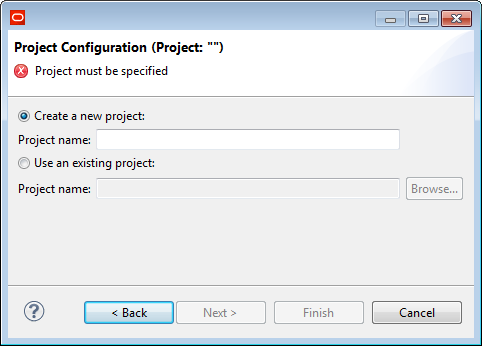
Integrator displays the Project Configuration dialog of the Load Data from OBI Server wizard.
-
Select the
Create a new project radio button. Enter a
name for the project. Click
Next.
Integrator displays the
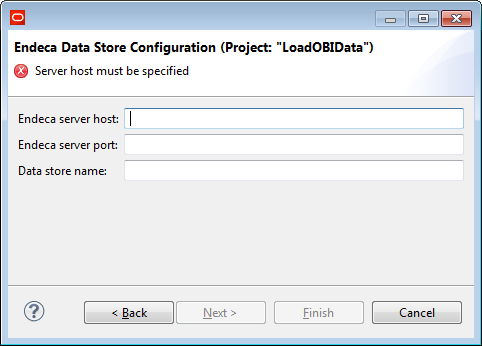
Endeca Data Store Configuration dialog.
-
Enter the
Endeca server host (name or IP address), and
Endeca server port. Enter the
Data store name. If the data store you specify
does not exist, it will be created when you run the Baseline graph in the
project. Click
Next.
Integrator displays the
OBI Server Configuration dialog.
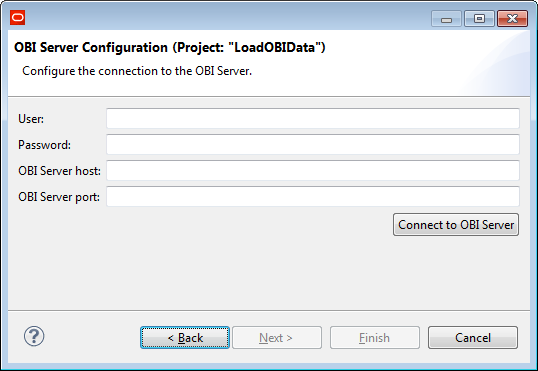
- Enter the OBI Server host (name or IP address) and OBI Server port of the OBI Server from which you want to retrieve data. Enter the User and Password of the user you want to use to log in to the OBI Server.
-
Click
Connect to OBI Server.
Integrator attempts to connect to the OBI Server you
specified using the connection and authentication data you entered. When you
establish a connection, Integrator enables the
Next button.
Note:
You must establish a connection before you can continue in the wizard.
-
Click
Next.
Integrator displays the
OBI Model dialog.
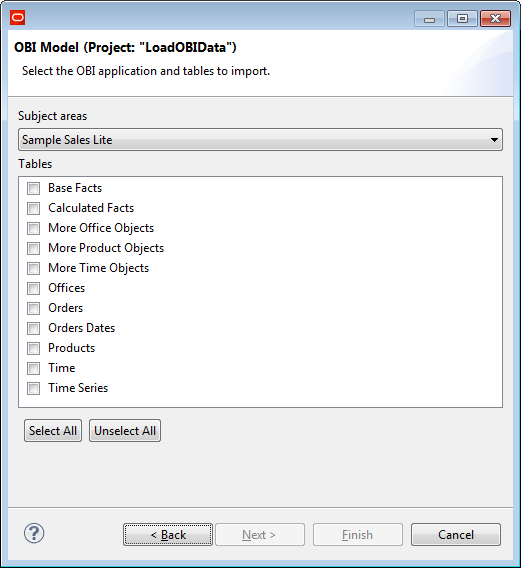
- Click on the Subject areas drop list and choose the OBI subject area from which you want to retrieve data. Check the boxes next to the tables from which you want to retrieve data. To check all boxes, click Select All.
-
Click
Next.
Integrator displays the
Attribute Configuration dialog populated with
guesses about the values for each column in the table.
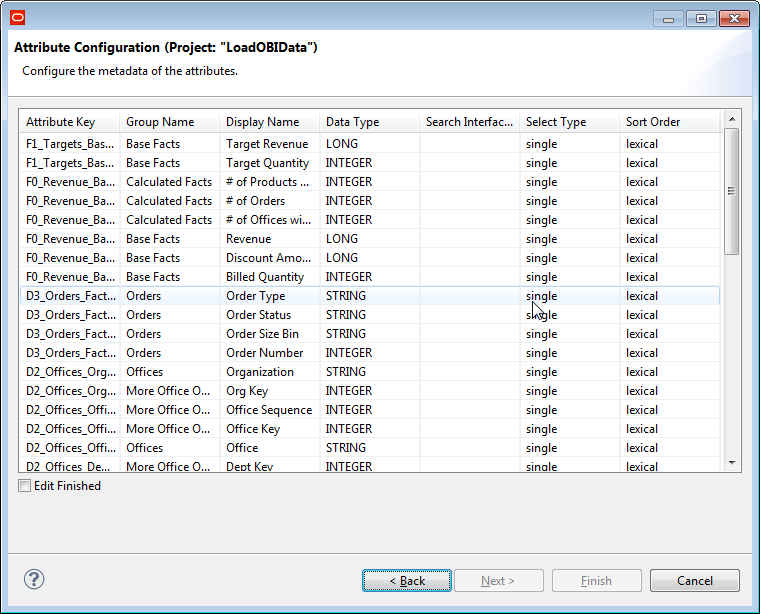
The following table describes the columns on the Attribute Configuration dialog.Table 1. Attribute Configuration Properties. This table describes the properties on the Attribute Configuration dialog of the Load Data from OBI Server wizard. Column Name Description Editable Attribute Key Name of the standard attribute created from this column. Maps to the mdex-property_Key PDR property.
No Group Name Groups to which the attribute belongs Maps to the system-property_GroupMembership PDR property.
Yes Click in the field and modify the text.
Display Name Name of the attribute displayed in user interfaces. Maps to the mdex-property_DisplayName PDR property.
Yes Click in the field and modify the text.
Data Type The mdex data type of the standard attribute. Maps to the mdex-property_Type PDR property.
No Search Interface The Search Interface assigned to the standard attribute. The Search Interface controls the search behavior of the standard attribute. Yes if the data type of the attribute is mdex:string. Otherwise, no. Click in the field and enter the names of the search interfaces you want to use for the standard attribute. You can enter multiple search attributes in this field, separated by commas.Note:Define the Search Interfaces in the data store configuration before loading data from OBI Server.
Select Type Defines the multi-select behavior of the standard attribute. Maps to the system-navigation_Select PDR property.
Yes Click in the field and choose the value from the drop list. Available values include:- Single
Users can select only one refinement from this attribute.
- multi-and
Users can select multiple refinements from the attribute. Records are only returned if the value of the assignment matches all selected refinements.
- multi-or
Users can select multiple refinements from the attribute. Records are returned if they match any of the selected refinements.
Defaults to single.
Sort Order Specifies the order in which to display refinements in navigation. Maps to the system-navigation_Sorting PDR property.
Yes Click in the field and choose the value from the drop list. Available values include:- lexical
Sorts refinements in alphabetical or numerical order.
- record-count
Sorts by number of records, in descending order.
Defaults to lexical.
The following table describes mappings from OBI Server to Integrator to Endeca Server.
Table 2. Data Type Mappings. This table describes how data types in Oracle Business Intelligence Server map to Integrator data types, and then to Endeca Server data types/ OBI type name OBI data type Integrator data type name mdex data type name BIGINT -5 Long mdex:long BINARY -2 N/A N/A CHAR() for bit data -7 N/A N/A CHAR 1 String mdex:string DATE 9 Date mdex:dateTime DECIMAL 3 Number mdex:double DOUBLE 8 Number mdex:double FLOAT 6 Number mdex:double INTEGER 4 Integer mdex:int LONGVARBINARY -4 N/A N/A LONGVARCHAR -1 String mdex:string NUMERIC 2 Number mdex:double REAL 7 Number mdex:double SMALLINT 5 Integer mdex:int TIME 10 Date mdex:dateTime TIMESTAMP 11 Date mdex:dateTime TINYINT -6 Integer mdex:int VARBINARY -3 N/A N/A VARCHAR 12 String mdex:string - Single
- When you are finished modifying the values in the table, check the Edit Finished box. Integrator enables the Finish button.
- Click Finish. Integrator runs the wizard processing.
- config-in
- AttributeGroups.csv
- AttributeMetadata.csv
- AttributeSearchability.csv
- OBI metadata file named host-port.xml, where host is the value you entered for the OBI Server host on the OBI Server configuration dialog and port is the value you entered for the OBI Server port on the OBI Server configuration dialog.
- conn
- A connection configuration file named BIServer.cfg
- bijdbc.jar
- data-in
- A query statement file: QueryStatement.sql
- graph
- Baseline.grf
- InitDataStore.grf
- LoadConfigurations.grf
- LoadData.grf
- LoadIndexingConfiguration.grf
- ResetDataStore.grf
- meta
- DataRecord.fmt
- DataRecord2.fmt
The Endeca data store configurations specified on the Endeca Data Store Configuration dialog are stored in the project's workspace.prm file.
