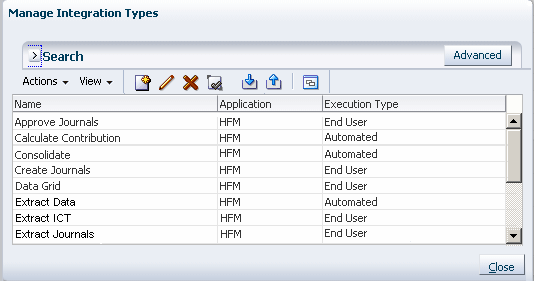
When you create Integration Types, you specify whether they are End-User tasks or System-Automated tasks.
End-User task - tasks that users must perform and validate. The task may be a generic task such as submitting data, or it may require product integration to facilitate or validate its completion.
System-Automated task - tasks automatically executed in external applications when their start date and time are reached, and their predecessor tasks are completed, for example, an overnight feed from a General Ledger. System-Automated tasks are often executed after working hours. They require limited, if any, user interaction, and do not have assignees.
When you create a task as either System-Automated or End-User, it affects the runtime behavior of the task. If you select System-Automated, the task runs according to the task parameters that you define. If you select End-User, when you click the Go to Task icon, the system uses the execution URL and parameters.