Before you can begin exploring the Getting Started application, you must import it into Studio.
To import the Getting Started application:
-
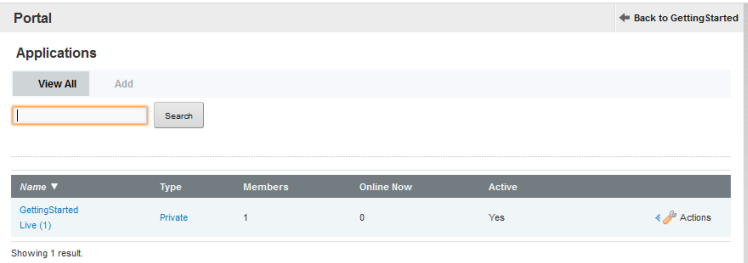
In the
Control Panel menu, in the
Portal section, click
Applications.
-
On the
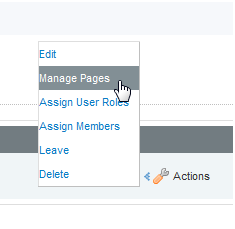
Applications page, for the GettingStarted
application, click
Actions, and then click
Manage Pages.
-
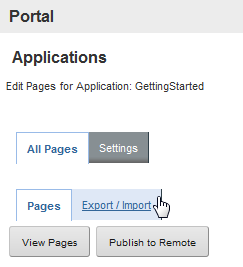
Click
Export/Import.
-
Click
Import and do the following:
-
Under
What would you like to import?, accept the
default settings, and then click
Import.
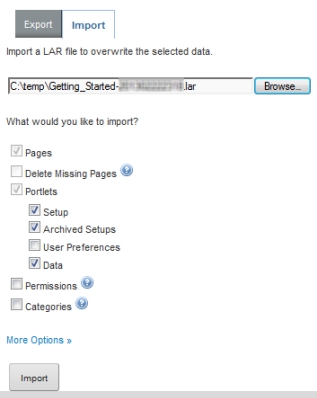
Upon completion, you will see a success message.
-
Under
What would you like to import?, accept the
default settings, and then click
Import.
