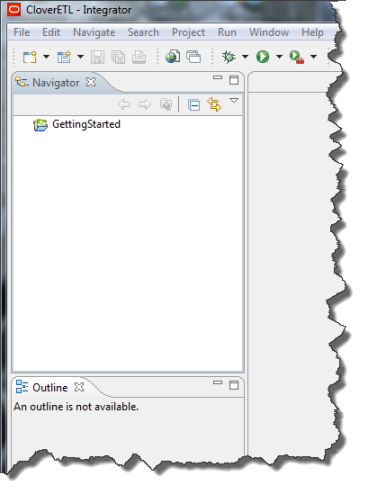
Next, you import the Getting Started data pipeline into Integrator.
The Getting Started data pipeline is contained in the EID_3.0_SamplePipeline.zip, which is part of the sample application .zip file that you downloaded.
To import the Getting Started data pipeline:
-
On the
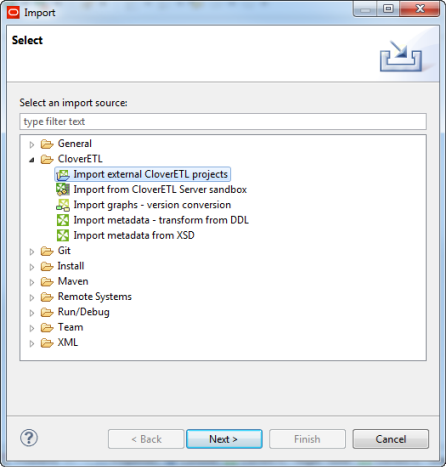
Select page:
- Open the Clover ETL folder.
- Select Import external Clover ETL projects.
- Click Next.
-
On the
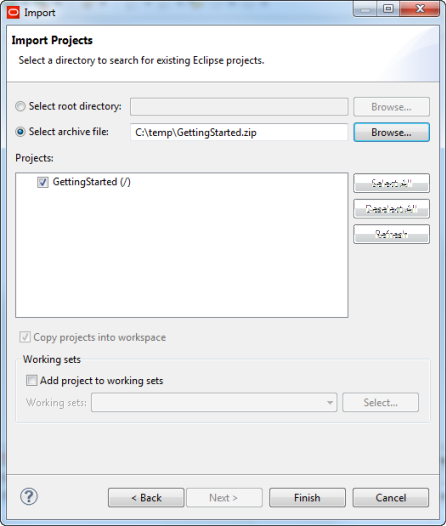
Import Projects page:
-
Use the
Browse button to navigate to and select
EID_3.0_SamplePipeline.zip.
The Getting Started project appears in the Projects list.
-
Use the
Browse button to navigate to and select
EID_3.0_SamplePipeline.zip.
-
Click
Finish.
The Getting Started project now appears in the Integrator Navigator.