If you are not installing Studio on the same server as Endeca Server, then you need to download and install WebLogic Server.
To download and install WebLogic Server:
-
To download the WebLogic Server installation package:
-
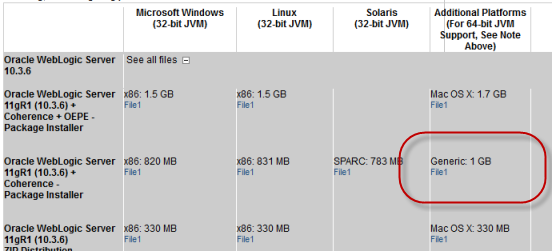
Download the
Generic version of the installer
(wls1036_generic.jar).
-
Download the
Generic version of the installer
(wls1036_generic.jar).
-
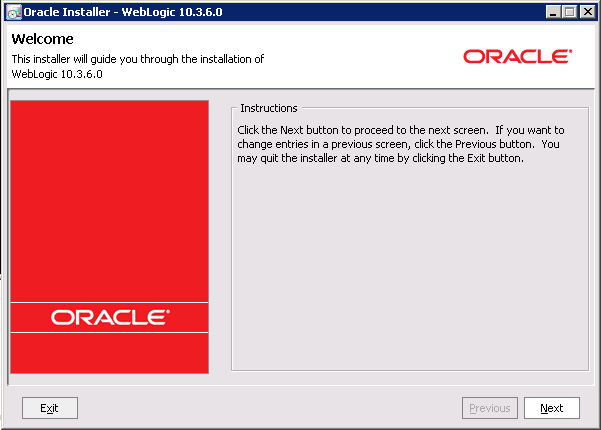
To launch the installer, issue the following command:
java -jar wls1036_generic.jar
The Welcome page of the installation wizard is displayed.
-
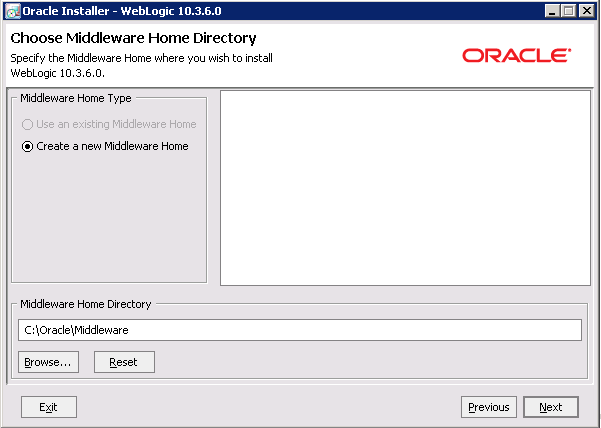
On the
Choose Middleware Home Directory page:
- Click the Create a new Middleware Home radio button.
- Accept the default location for the Middleware Home Directory.
- Click Next.
-
To bypass the
Register for Security Updates page:
-
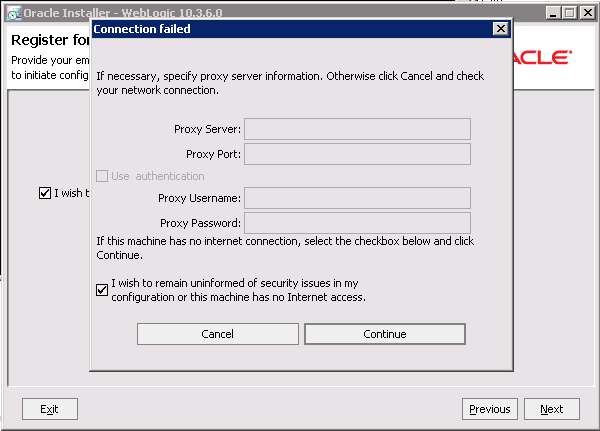
On the
Connection failed dialog, check
the I wish to remain uninformed of security issues in my
configuration or the machine has no Internet access checkbox, then
click
Continue.
-
On the
Connection failed dialog, check
the I wish to remain uninformed of security issues in my
configuration or the machine has no Internet access checkbox, then
click
Continue.
-
On the
Choose Install Type page, click the
Custom radio button, then click
Next.

-
On the
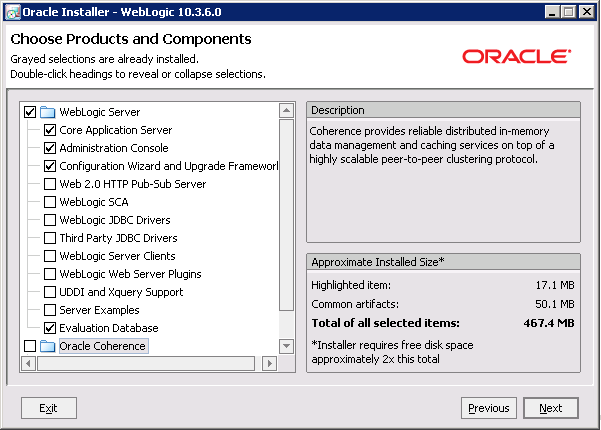
Choose Products and Components page, check the
following products, then click
Next:
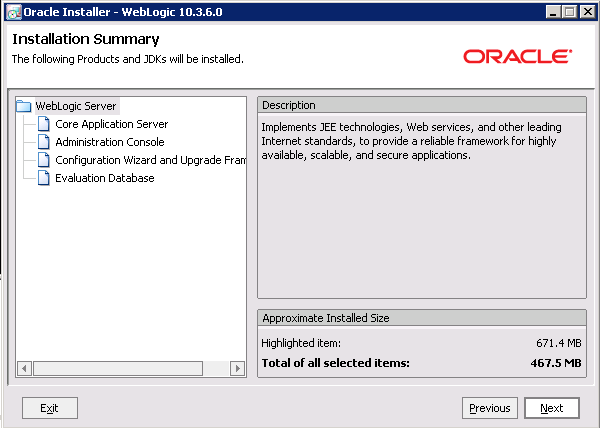
- Core Application Server
- Administration Console
- Configuration Wizard and Upgrade Framework
- Evaluation Database
-
On the
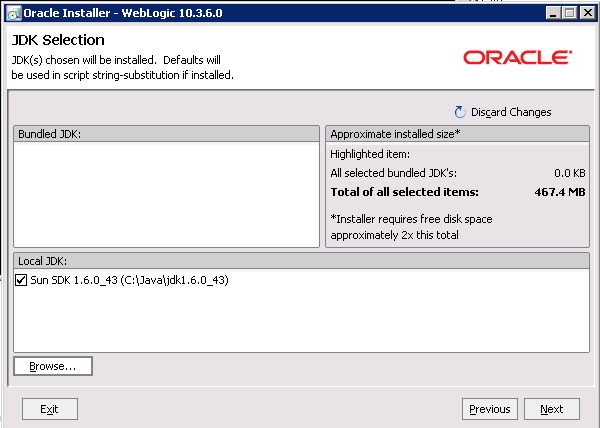
JDK Selection page, verify that the JDK you
installed is selected. If it is, click
Next. If that version of the JDK is not
selected:
-
Browse to and select the directory that contains the JDK
(C:\Java\jdk1.6.0_43\ or
$HOME/Oracle/Endeca/jdk1.6.0_43)
The Local JDK section is updated to display the selected JDK with a checked box next to it.
-
Browse to and select the directory that contains the JDK
(C:\Java\jdk1.6.0_43\ or
$HOME/Oracle/Endeca/jdk1.6.0_43)
-
On the
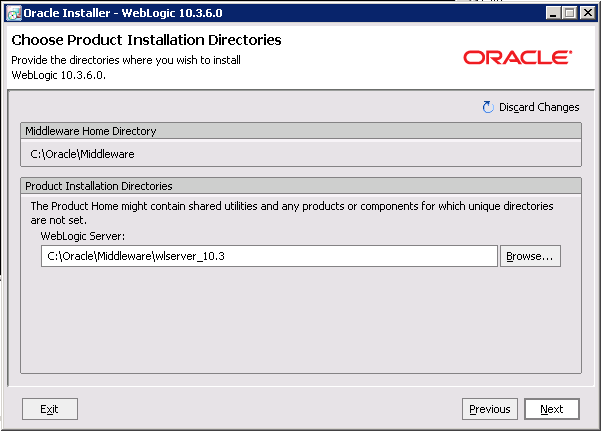
Choose Product Installation Directories page,
accept the default installation directory, then click
Next.
-
If the
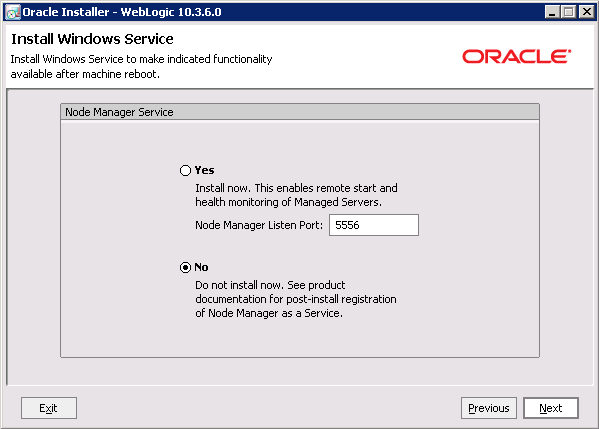
Install Windows Service page is displayed,
click the
No radio button, then click
Next.
-
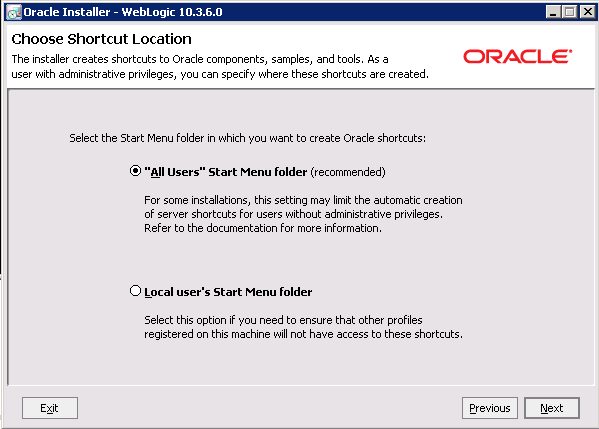
If the
Choose Shortcut Location page is displayed,
click a radio button to select the location of the Windows shortcut, then click
Next.
-
On the
Installation Summary page, verify that you are
installing the correct products, then click
Next.
-
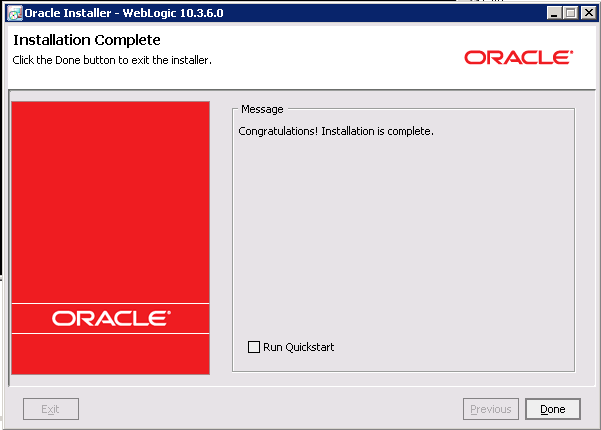
On the
Installation Complete page, uncheck the
Run Quickstart checkbox, then click
Done.
For Windows, an Oracle WebLogic shortcut is created in the Start Menu.
