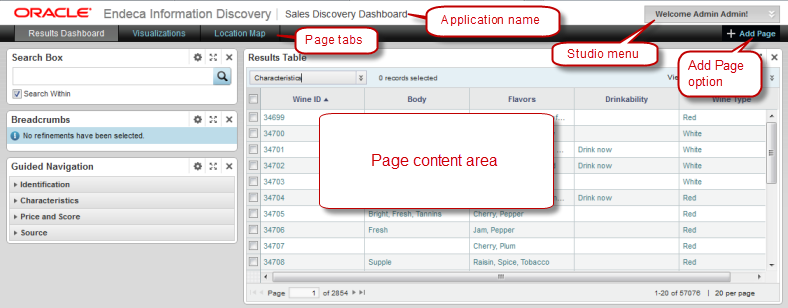
Studio applications include the following user interface elements.
| Item | Description |
|---|---|
| Application name | The name of the currently displayed application. |
| Studio menu | Provides access to functions such as:
|
| Add Page option | Allows users to add pages to the current application. |
| Page tabs | The application pages contain Studio
components. You use the page tabs to select the page to view.
Grouping components across multiple pages instead of on a single page can provide a more useful navigation experience for end users. |
| Page content area | The page content area for the selected page is where users view and manage the components. |
