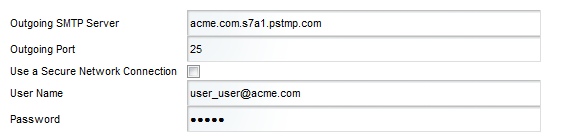
In order for users to be able to email bookmarks, you must configure the outbound email server. The email address associated with the outbound server is used as the from address on the bookmark email message.
To configure the email server:
-
Fill out the fields for the outbound mail server: