After installing the Endeca Server, you should verify that the Endeca Server application was correctly deployed.
To verify the Endeca Server application deployment:
-
To start the Admin Server for the Endeca Server domain, run
C:\Oracle\Middleware\user_projects\domains\endeca_server_domain\startWebLogic.cmd.
Alternatively, from the Windows Start menu, select .
- When prompted, enter the administrator user name and password for the Endeca Server domain.
- From a Web browser, go to the Administration Server console at http://localhost:7001/console.
- On the Administration Console login page, log in using the domain administrator user name and password.
-
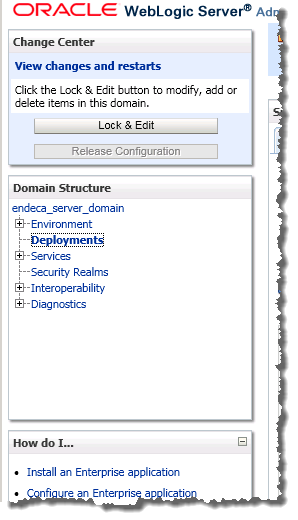
Under
Domain Structure, in the
endeca_server_domain tree, click
Deployments.
-
In the
Deployments table, check the
oracle.endecaserver Web application (on the
second page of the list).
Its State should be "Active" and its Health should be "OK".

