You should install an ADF patch to correct a problem with releasing memory.
The Interim Patch for Bug 17509664 solves a problem where memory is not being released when an Endeca data domain is deleted.
To download and install the ADF patch:
-
Click on the patch link in the
Patch Related Activity
panel.
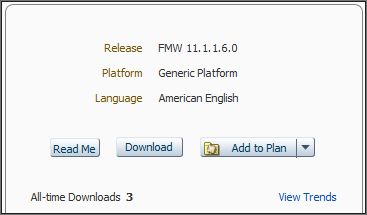
The Patch Details page is displayed, with the Download panel on the right side of the page:
-
In the Download panel, click
Download.
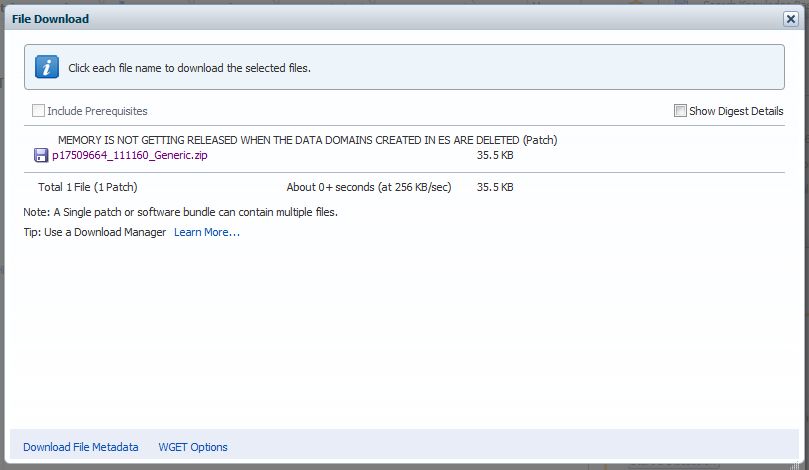
The File Download dialog is displayed:
The following steps are a quick version of step 8 on how to use the
OPatch script to install the patch on a Windows machine:
- Shut down WebLogic Server.
- Open a command prompt in administrator mode. On Windows, you must run in administrator mode because OPatch will need admin rights to several directories to lock and create files.
- To make it easier to use
OPatch, add its path to your PATH variable while in the command prompt:
set PATH=%PATH%;C:\Oracle\Middleware\oracle_common\OPatch
- Change to the
17509664 directory where the patch was unpacked.
For example:
cd c:\PATCH_TOP\17509664
- Run OPatch with the
apply parameter and the
-oh flag pointing to the ADF home directory:
opatch apply -oh c:\oracle\middleware\oracle_common
- OPatch runs the prerequisite checks and tells you what it will do. If it prompts you for confirmation ("Do you want to proceed?" and "Is the local system ready for patching?"), answer y to the prompts.
- When OPatch finishes, restart WebLogic Server.
The steps on a Linux machine are similar.
Note that if you receive a Java error at step 5, use the -jdk flag to specify the location of your Java SDK.
