Configuring SSL for Information Discovery components

All Information Discovery components support SSL connections to an SSL-enabled Dgraph.

This procedure assumes that you have used the Integrator ETL Edit component dialog for the Information Discovery component and set the SSL Enabled configuration property to true. For example, this Bulk Add/Replace Records component has been enabled for SSL:
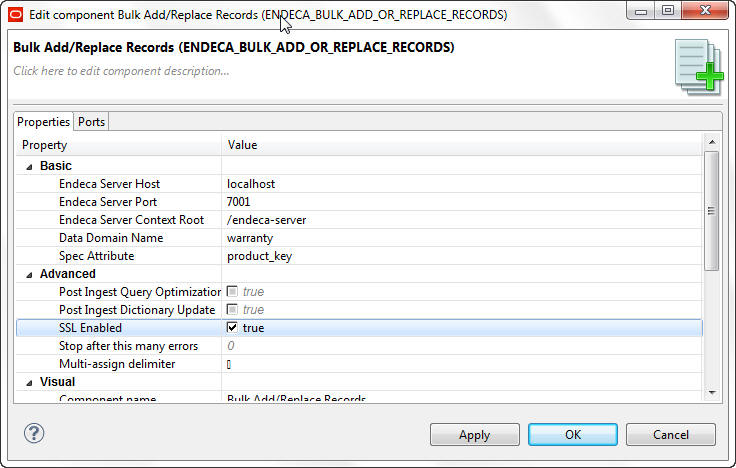
Edit component dialog showing a Bulk Add/Replace Records component with SSL enabled

The procedure also assumes that you have created the necessary SSL keystore and truststore certificates.

To configure SSL support for a graph using an Information Discovery component:

  1. Select Preferences from the Window menu.
  2. From the Preferences menu, select Java > Installed JREs.
  3. In the Installed JREs menu, click on the checked JRE and then click Edit.

    The Edit JRE menu is displayed.

  4. In the Default VM Arguments field, enter the following on a single line. Replace the filenames with the ones you created:
    -Djavax.net.ssl.keyStore=yourcertkeystorefile.jks
    -Djavax.net.ssl.keyStorePassword=keystorepass
    -Djavax.net.ssl.trustStore=yourtruststorefile.jks
    -Djavax.net.ssl.trustStorePassword=truststorepass
  5. Click Finish to apply your change and close the Edit JRE menu.
  6. Click OK to close the Preferences menu.