Restarting Pay Cycles and Re-creating Checks
This section provides an overview of how to restart a pay cycle and discusses how to re-create and reprint checks.
Pages Used to Restart Pay Cycles and Re-create Checks
|
Page Name |
Definition Name |
Navigation |
Usage |
|---|---|---|---|
|
Recreate Checks |
PYCYCL_RSTRT |
|
Restart or reprint checks for a pay cycle when you have already printed checks. |
|
Email Payment Advice |
PYCYCL_EMAIL_ADV |
|
Resend payment advices as needed or as required by supplier |
Understanding Pay Cycle Restart
When you do a restart for the pay cycle, the system assigns the name for the new pay cycle based on the following logic:
The name format is RSTRT#, where # is a number from 1 to 9.
If it is a restart of the original pay cycle, the system scans pay cycles RSTRT1 through RSTRT9 and assigns a name to the first one that it finds unused or with a status of Completed. For example, the restart of paycycle MTHLY is any of RSTRT1 through RSTRT9.
If this is a subsequent attempt at restarting, the system assigns the same pay cycle name it did for the first restart instance and increases the pay cycle sequence number by one. For example, the restart for pay cycle RSTRT3 with pay cycle sequence number 1 is pay cycle RSTRT3 with sequence number 2.
Note: Only nine restarted pay cycles can run at any given time. Any attempt to restart another pay cycle will be unsuccessful if started after nine pay cycles with a status other than Completed have already restarted.
Note: You cannot restart the original pay cycle more than once for the same set of payment reference numbers, regardless of whether you choose to re-create the checks using new reference numbers.
Note: You can only restart the latest sequence of each pay cycle.
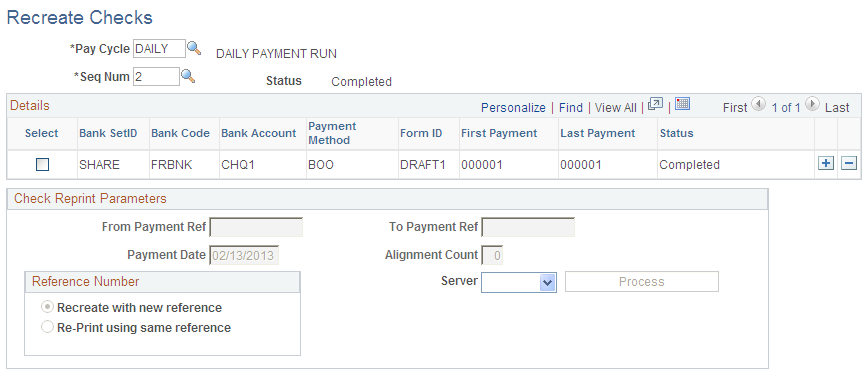
Recreate Checks Page
Use the Recreate Checks page (PYCYCL_RSTRT) to restart or reprint checks for a pay cycle when you have already printed checks.
Image: Recreate Checks page
This example illustrates the fields and controls on the Recreate Checks page. You can find definitions for the fields and controls later on this page.
Check Reprint Parameters
Note: If you are using preprinted check forms, you must restart the printing and then, after the forms are printed, access the Payment Reference page to update the system-assigned reference numbers to match those of the payment forms.
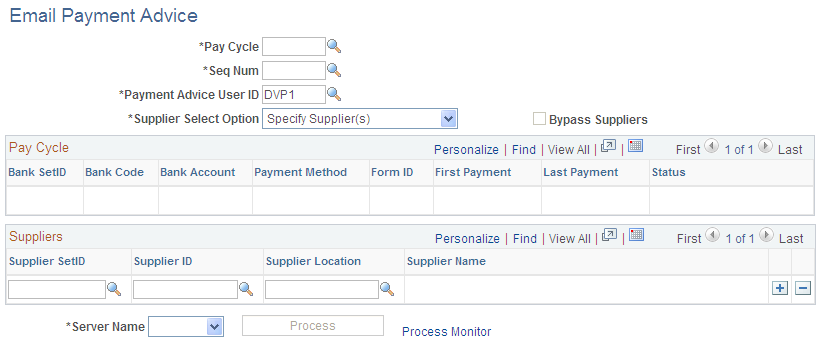
Email Payment Advice Page
Use the Email Payment Advice page (PYCYCL_EMAIL_ADV) to .
Image: Email Payment Advice page
This example illustrates the fields and controls on the Email Payment Advice page. You can find definitions for the fields and controls later on this page.