
Setting Up a Processing Order Template
This section discusses how to Create a Processing Order Template.
Page Used to Define a Processing Order Template
|
Page Name |
Definition Name |
Navigation |
Usage |
|---|---|---|---|
|
Processing Order Template |
PRC_ORD_TEMPLATE |
Template can also be accessed using the navigation Setup Financials / Supply Chain, Product Related, Contracts, Templates, Processing Order Template. Template can also be accessed using the navigation Setup Financials / Supply Chain, Product Related, Contracts, Templates, Processing Order Template. |
Use this page to create a Processing Order Template for the Limits process. |
Processing Order Template Page
Use the Processing Order Template page (PRC_ORD_TEMPLATE)to create a Processing Order Template for the Limits process.
Template can also be accessed using the navigation Setup Financials / Supply Chain, Product Related, Contracts, Templates, Processing Order Template.
Template can also be accessed using the navigation Setup Financials / Supply Chain, Product Related, Contracts, Templates, Processing Order Template.
Image: Processing Order Template page
This example illustrates the fields and controls on the Processing Order Template page. You can find definitions for the fields and controls later on this page.
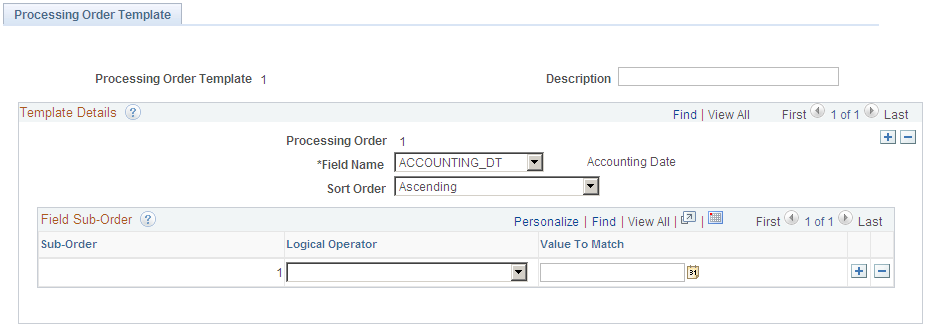
Use this page to create a Processing Order Template.
Note: Any field used in the Processing Order Template should also be present in the Project Costing Summarization Template so that data corresponding to that particular field is available from the Project Costing Summarization process.