
Setting Up Procurement Groups
Create procurement group IDs to link purchasing transaction lines together as part of the same procurement group. Procurement group IDs can be placed on lines on requisitions or purchase orders, and displayed on receipts. Procurement groups can be used to group items together for any purpose. One purpose is to group all items that combined together will create a new asset in PeopleSoft Asset Management. Procurement group IDs are created on the Procurement Groups page.
Page Used to Set Up Procurement Groups
|
Page Name |
Definition Name |
Navigation |
Usage |
|---|---|---|---|
|
Procurement Groups |
PO_GROUP_TBL |
|
Create or modify procurement groups. |
Procurement Groups Page
Use the Procurement Groups page (PO_GROUP_TBL) to create or modify procurement groups.
Image: Procurement Groups page
This example illustrates the fields and controls on the Procurement Groups page. You can find definitions for the fields and controls later on this page.
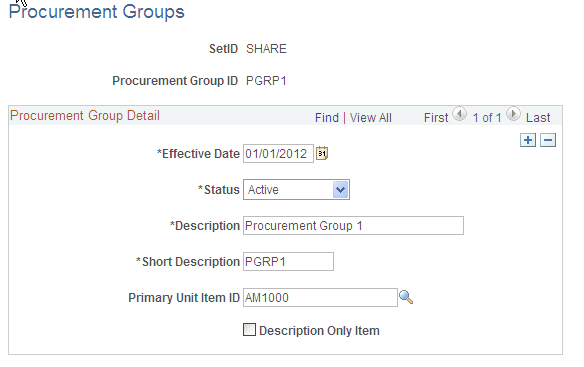
The Procurement Groups page enables you to create group IDs to be entered on a requisition line or purchase order line, and displayed on receipt line. This procurement group ID gathers transactions lines together to help you identify a larger item; for example, the Procurement Groups feature can be used in combination with PeopleSoft Asset Management to collect all item IDs that belong to a complete asset such as an air conditioning unit, installation brackets, air filters, and installation services. The complete cost of the asset can be captured as one asset.