At the bottom left of the Map component is the layer list, which shows the available layers configured for the component.
You can use the icon at the top right to expand or collapse the layer list.
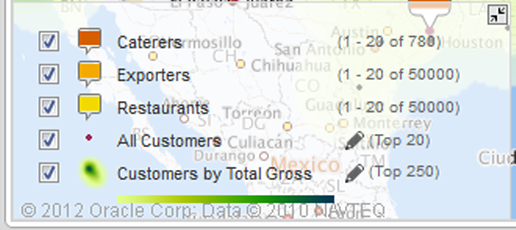
The layer list contains a checkbox for each numbered point and point layer. To hide a numbered point or point layer, uncheck its checkbox.
If any heat layers are available for the Map component, then there is a single heat layer checkbox, with a drop-down list containing all of the available heat layers. From the heat layer drop-down list, select the heat map to display. To not display a heat layer on the map, uncheck the heat layer checkbox.

