For most Results Table actions, including column actions, action columns, and the Actions menu, you can set up a condition to determine whether the action is enabled.
Note that for the Actions menu, you can only configure conditions for the Refinement and Pass Parameters actions. For action columns, you can only configure conditions for the Refinement and Hyperlink actions. Print, Export, Compare, and Details actions never have conditions.
For column values, the condition fields display in the Column Actions section of the column configuration dialog.
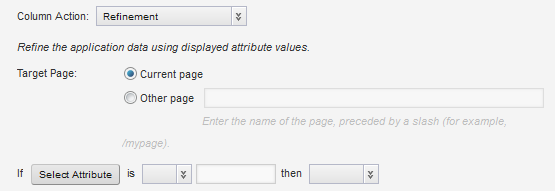
For Actions menu and action column actions, the configuration dialog contains a separate Conditional Action Display section.

To configure the condition to control whether the action is available:
When an action has an associated condition, then on the end user view:
| Action Type | Effect of Action Condition |
|---|---|
| Column values | For rows that should not have the action, the column value is not hyperlinked. |
| Action columns | For rows that should not have the action, the action column is empty. It does not display the icon or hyperlink. |
| Actions menu | For
Actions menu options, users must first
select at least one row to perform the action on.
|
