Aggregation methods are used to aggregate attribute values into metrics displayed on components such as Chart, Pivot Table, and Results Table.
Based on its data type, each attribute can support specific aggregation methods. You can then configure attributes to only support a subset of the applicable aggregation methods.
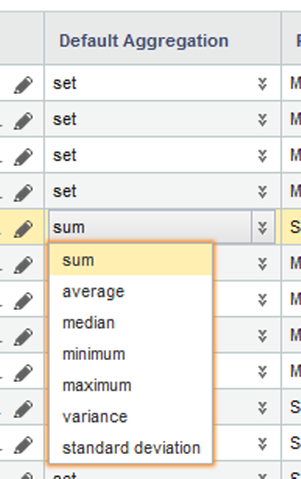
Each attribute also is assigned a default aggregation method. You can change the default used for each attribute.
From the attributes list on the Views page, to configure the available and default aggregation methods for an attribute:
-
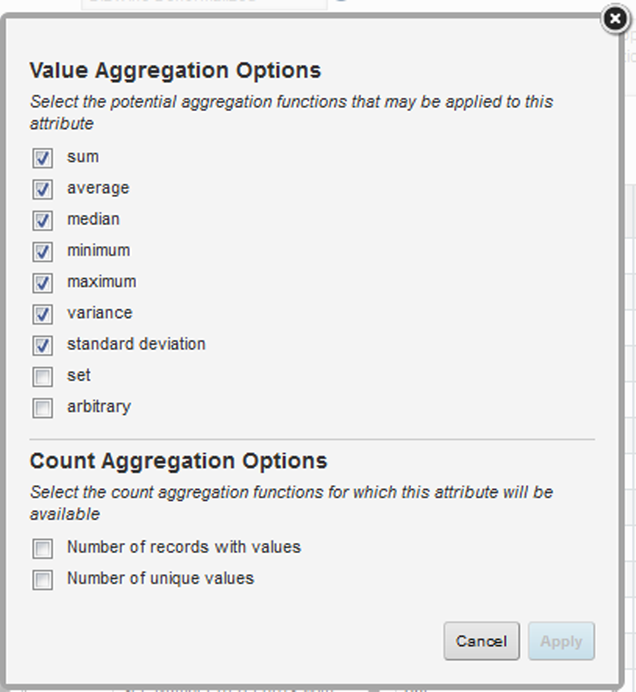
To configure the available aggregation methods for an attribute:
-
On the aggregation methods dialog, to enable an available
aggregation method, check the checkbox.
-
On the aggregation methods dialog, to enable an available
aggregation method, check the checkbox.
-
From the
Default Aggregation drop-down list, select the
default aggregation to use.