On the refinements panel, range filters allow users to refine by a range of values instead of by specific values. Range selections are used by default for numeric values, date values, and time values.
Each filter displays the current minimum and maximum values for the selected attribute.
Range filters also display a histogram, which shows how the values are distributed within the range. Hover over a histogram bar to see the range of values for that bar and the number of matching records in that range.
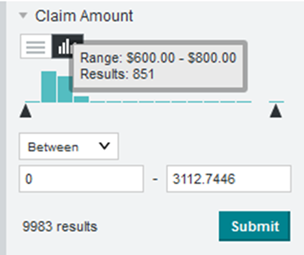
To use a range filter:
-
To select a range of values:
-
From the list, select whether to define the range:
- Between two values or two dates or times (the default)
- Less than a value, or before a date or time
- Greater than a value, or after a date or time
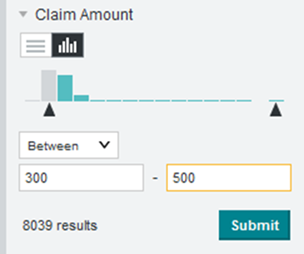
-
To specify the value or values to use, either:
- Enter the values
in the fields.
For date values, you can use the date picker to select the dates.
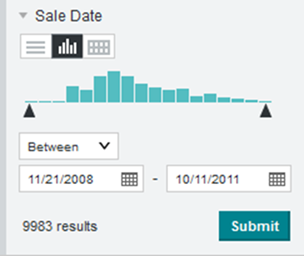
For time values, you can use either the displayed format (for example, 9:00 am or 1:00 pm) or 24-hour format (for example, 09:00 or 13:00).
- Use the histogram slider bar to set the values.
- Enter the values
in the fields.
-
From the list, select whether to define the range:
-
A toggle icon allows you to toggle between using a
range filter and using a value list.

The value list behaves the same way as any other value list. See Using a value list to select refinements.
-
After you submit a range filter refinement, you
can use the range type toggle to change the displayed range on the histogram.
This does not affect the selected refinement.

You can either display:- The current range of available values based on all of the current refinements, including refinements to the current attribute.
- The full range of
available values based on all of the current refinements, except for
refinements to the current attribute.

