From the Snapshots list for a project, you can edit, email, save, and delete snapshots. You can also use the snapshot as a bookmark to display the project page in the state reflected by the snapshot.
Note that in order to be able to send snapshots by email, the outbound email server for Big Data Discovery must be configured. For information on how to configure the outbound email server, see the Administrator's Guide.
To manage the snapshots in the Snapshots list:
-
To display details for a snapshot, click the
snapshot.
The snapshot details include the name, description, creation date, source of the data, and the refinements that were in place when you created the snapshot.
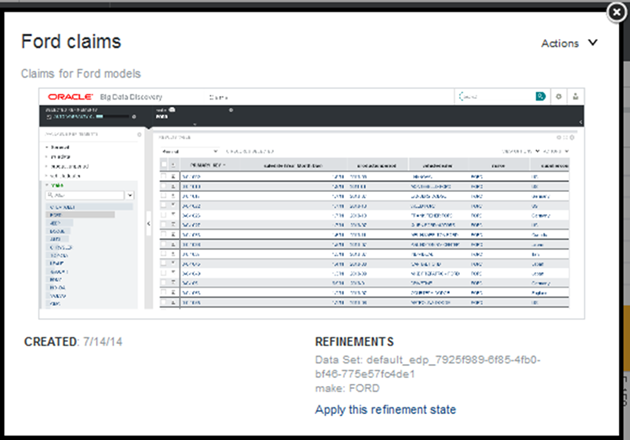
The Actions menu contains options to edit, email, save, and delete the snapshot. You can also navigate to the refinement state represented by the snapshot.
-
To
edit a snapshot:
-
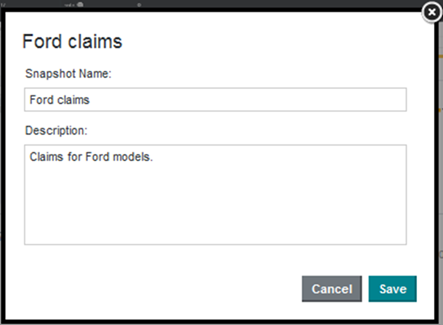
On the edit dialog, you can edit the name and description of
the snapshot.
-
On the edit dialog, you can edit the name and description of
the snapshot.
-
To email a snapshot:
-
From the snapshot
Actions menu, select
Email.
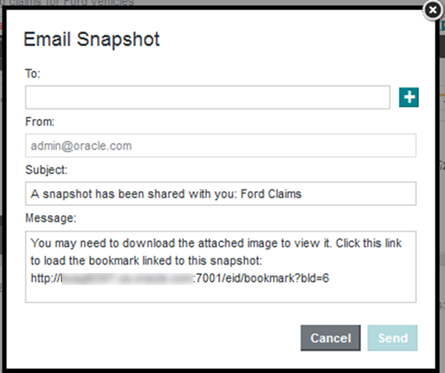
The Email Snapshot dialog displays.
-
From the snapshot
Actions menu, select
Email.
