
API Gateway can store generated authorization codes and access tokens in its caches, in an embedded database, or in a relational database. The authorization server issues tokens to clients on behalf of a resource owner. These tokens are used when authenticating subsequent API calls to the resource server. These issued tokens must be persisted so that subsequent client requests to the authorization server can be validated.
You can configure authorization code and access token stores under the Libraries > OAuth2 Stores node in the Policy Studio tree. The authorization server can cache authorization codes and access tokens depending on the OAuth flow. The steps for adding an authorization code cache are similar to adding an access token cache.
The authorization server offers the following persistent storage options for access tokens and authorization codes:
The following figure shows these options in Policy Studio:
The Purge expired tokens every setting enables you to configure a time interval in seconds after which a background process polls the database looking for expired access or refresh tokens or authorization codes and purges them.
To store access tokens or authorization codes in a cache, perform the following steps:
OAuth Access Token Cache). For more details on API Gateway caches, see the API Gateway Policy Developer Guide.
To store access tokens or authorization codes in a relational database, perform the following steps:
$VDISTIR\system\conf\sql\DBMS_TYPE\oauth-server.sql
where DBMS_TYPE
is the database management system being used. Schema are provided for Microsoft SQL Server, MySQL, Oracle, and IBM DB2.oauth_db. For more details, see the API Gateway Policy Developer Guide.
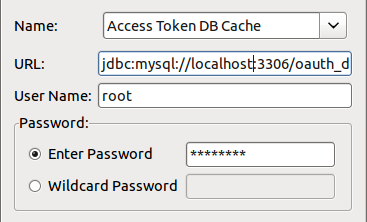
To store access tokens or authorization codes in Apache Cassandra, perform the following steps:
ONE
means that the database returns a response from the closest replica. The default Write
setting of ANY
means that a write must be written to at least one replica node. For more details on Apache Cassandra, see the API Gateway Key Property Store User Guide.