Channel Evaluation - Parity tab
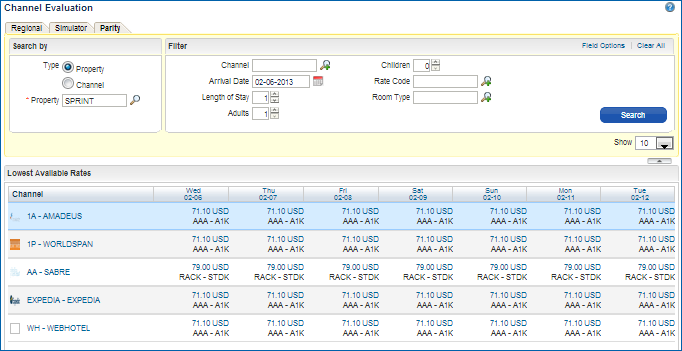
The Channel Evaluation Parity tab displays a visual snapshot of how the channels are "seeing" the property's available room/rate combinations per day by property or by channel. Also, any restriction notifications at the property level are visible here as well as the Rate/Room Policy Details.
Use the Channel Parity (General Availability) Search to:
|
Parity (General Availability) search by Property, all Channels, all Rates |
Select the Channel's icon to go to the Channel's website.
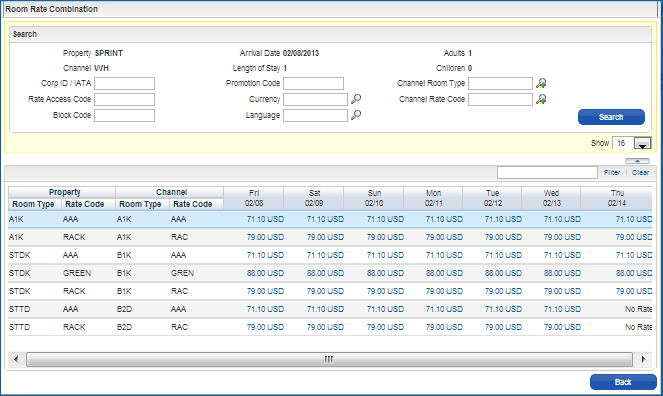
Select the Channel's name to display the Room Rate Combination matrix.
Select the Date to see the Restrictions placed upon that date.
Select a Rate to see details, including any Extra chargeables, Commissions, or Policies attached.
Room Rate Combination
Select the Channel Name to pull the Room Rate combination matrix for that Channel: