


|
|
|
|
|
To customize the Cognos 10 BI software for the InForm environment, you run installation and configuration wizards.
You run the Cognos Customization for InForm wizard (CRNConfig\setup.exe) on the following reporting servers:
For more information, see Step 5: Run the Cognos Customization for InForm wizard (CRNConfig\setup.exe) on the Cognos Content Manager Server.
For more information, see Step 5: Run the Cognos Customization for InForm wizard (CRNConfig\setup.exe) on the Cognos Report Server.
The Choose Setup Language window appears.
The Welcome page appears.
The Cognos 10 BI Installation Location page appears.
The Java Runtime Environment (JRE) Version Information page appears.
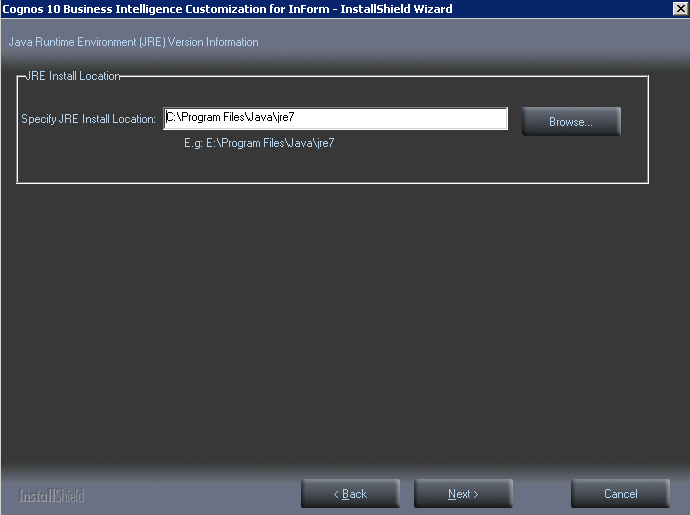
The Setup Type page appears.
Note: You can change this later if you select the wrong size.
The Cognos Content Store and Application Firewall page appears.
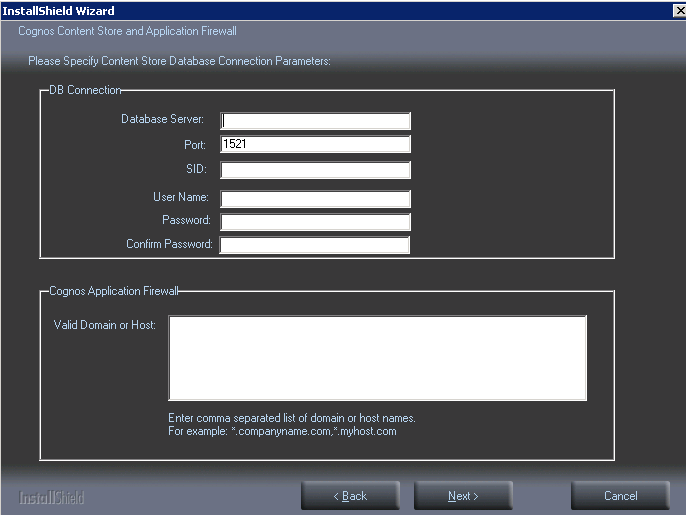
Cognos Content Store and Application Firewall page values
|
Field |
Description |
|---|---|
|
Database server |
Fully qualified domain name of the database server where the Cognos 10 BI Content Store schema is installed. |
|
Port |
Port number for communicating with the database server. |
|
SID |
SID for communicating with the database server. |
|
User Name |
User name of the Oracle user in the Cognos 10 BI content store database. You created this user when you configured the Cognos 10 BI content store database. |
|
Password, Confirm Password |
Cognos 10 BI user in the Cognos content store database. |
|
Valid Domain or Host |
Comma-separated list of domain or host names, for example *.company.com,*.companycorp.com. |
The Custom Authentication Provider Configuration and Single Sign-On Information page appears.
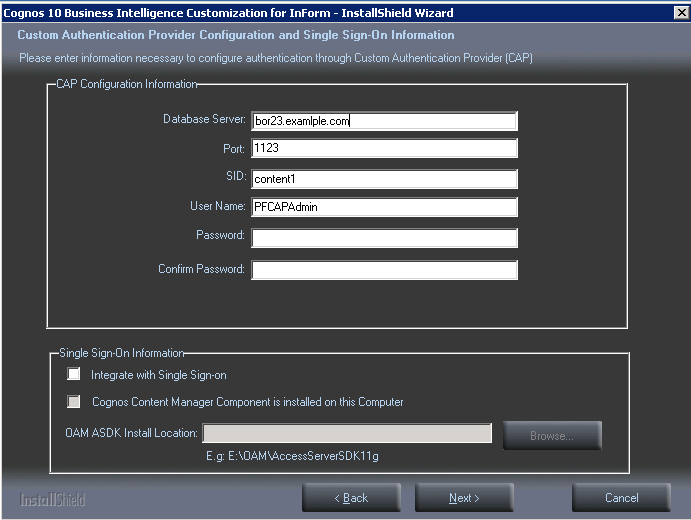
CAP configuration and SSO options
|
Field |
Description |
|---|---|
|
Database server |
Fully qualified domain name of the user that contains the TRIAL_URLS table. |
|
Port |
Port number for communicating with the database server. |
|
SID |
SID for communicating with the database server. |
|
User Name |
The name of the PFCapAdmin user. |
|
Password, Confirm Password |
Password of the PFCapAdmin user. |
|
Trust the user for InForm Model Generation Service (No Authentication Required) |
Select to allow the pfreportinguser to have access to the InForm Model Generation Service. |
|
Integrated with Single Sign-on |
Select to enable Single Sign-on. Note: This selection, and the following two options should be selected only if your application is running in an Oracle-hosted, single sign-on environment. |
|
Cognos Content Manager Component is installed on the computer |
Select if you are enabling SSO, and you are installing the CRNConfig wizard on the Content Manager Server. |
|
OAM ASDK Install Location |
If you are using SSO, enter the path to the Oracle Access Management Access SDK location. |
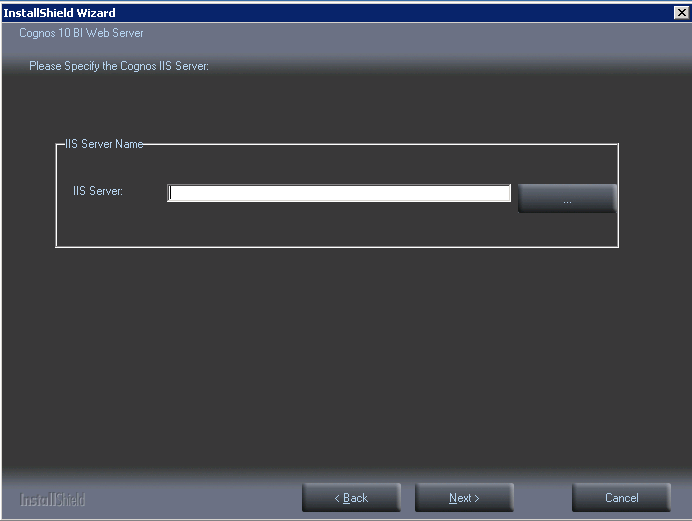
The Specify the Cognos Web Server (Gateway or IIS server) page appears.
The LDAP Configuration Information page appears.
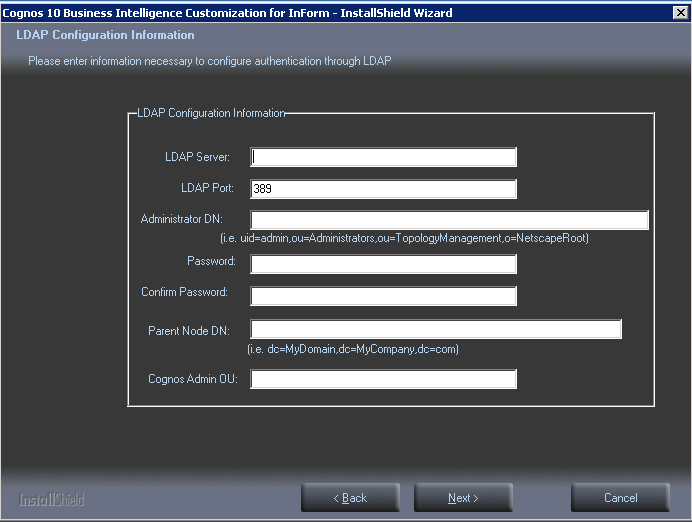
LDAP Configuration page values
|
Field |
Description |
|---|---|
|
LDAP Server |
Fully qualified domain name of the server where the Oracle Directory Server is installed. |
|
LDAP Port |
Port number used to communicate with the LDAP server. |
|
Administrator DN |
Distinguished Name of the administrator of the server. Use the format and values shown beneath the field. Note: The Administrator DN value corresponds to an LDAP user who has READ and SEARCH access to the Base Distinguished Name (BDN). The BDN specifies the top level or root of the directory structure, which is the starting place for searches. |
|
Password, Confirm Password |
Password of the administrator. |
|
Parent Node DN |
Distinguished name of the Parent Node. Use the format shown beneath the field. (Do not enter spaces after the commas between the parts of the domain.) Note: The Parent Node DN is also known as the Base Distinguished Name (BDN). The BDN specifies the top level or root of the directory structure, which is the starting place for searches. |
|
Cognos Admin OU |
The Cognos Admin organizational unit. |
The Ready to Install the Program page appears.
The Setup Status page appears.
The program copies the necessary files and creates the CRNSetup.xml and singlesignonproperties.xml files in an InForm subfolder under the Cognos installation (...\InForm\Config). The name and location of the files appears in a message window. You need to supply the location of these files when you install the Cognos 10 BI Gateway Customization for InForm.
Copyright © 2014, 2016 Oracle and/or its affiliates. All rights reserved.