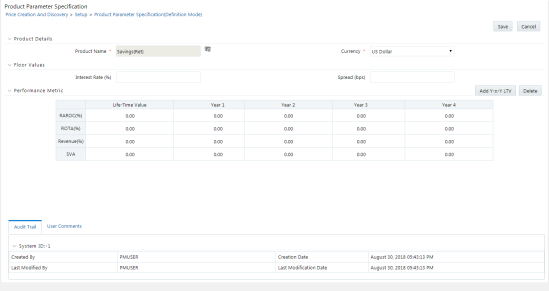
You can navigate to the “Defining a Product Parameter“ screen by clicking the Add icon on the Product Parameter Summary from the main screen.
This screen has the following sections:
· Floor Values
The Product Details screen has the following fields:
· Product Name: Select the Product Name from the lookup menu.
The lookup menu will show the Product Hierarchy from where you need to select the product. You can also use the search option to search for a product from within the list.
