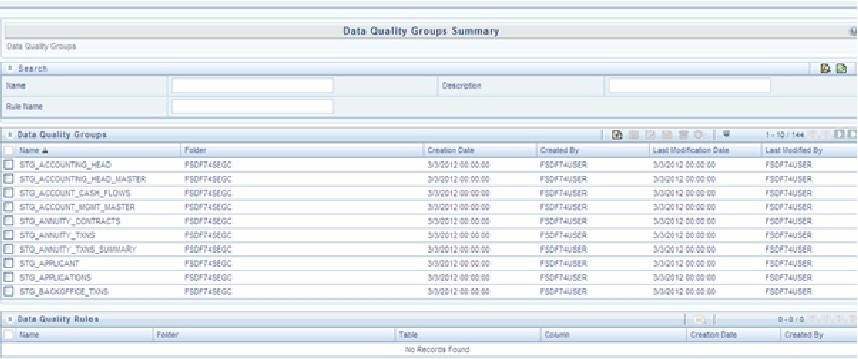
To execute any DQ rule, a Group must be created and the rules for execution has to be mapped with this group. For each staging table, a group has to be created and rules for these particular table have to be mapped under this Group.
For more information regarding Group Execution, refer to the section Execute Data Quality Group.
The DQ Group Mapping spreadsheet displays the total groups and corresponding Rules mapped to that Group.
You can execute the DQ Rules either from Data Quality Group Summary window or via a Batch execution.
To execute the Data Quality Groups from the Data Quality Groups Summary window:
1. Select the check box adjacent to the Group, you want to execute. The corresponding DQ Rules are displayed in Data Quality Rules grid.
Figure 1: DQ Rules
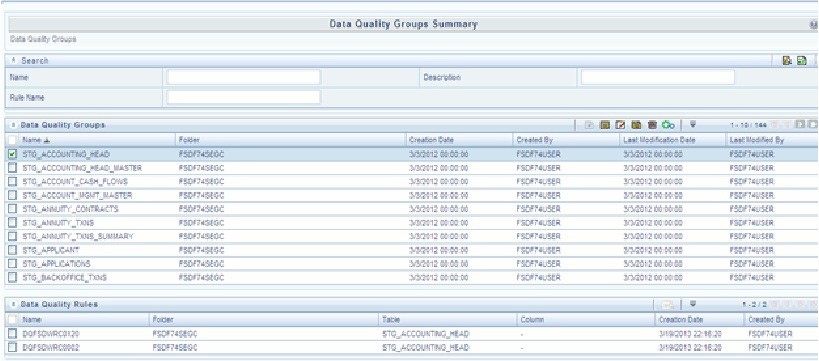
2. Click Execute button. The Group Execution window is displayed.
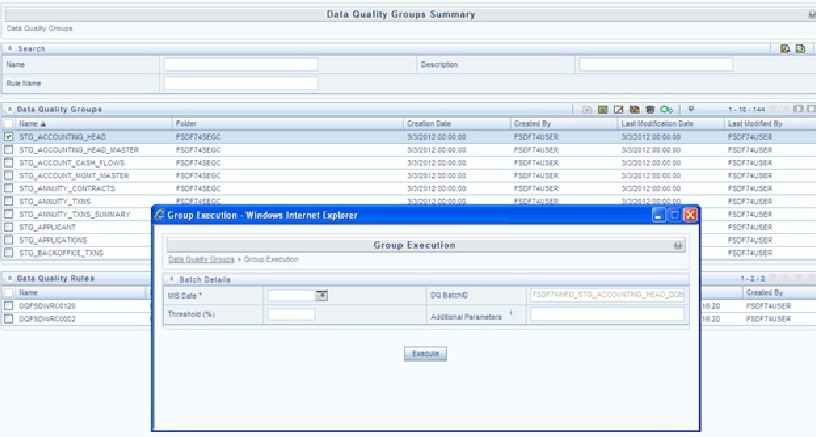
3. Enter the MIS Date.
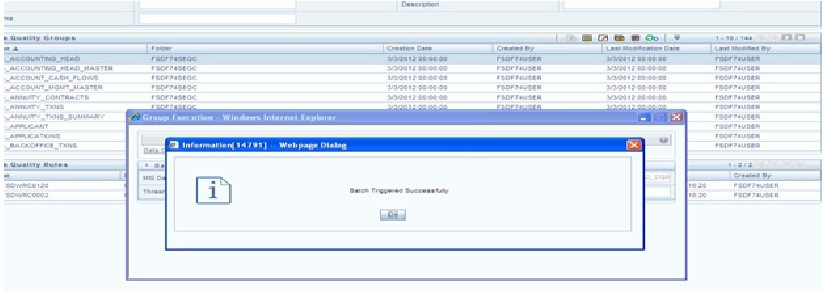
4. Click Execute button from the Group Execution window. The execution is triggered and the following message is displayed.
Figure 2: Execution Message
Once the execution is complete, you can view the details from the Data Quality Rules Summary window.
To view the execution logs:
5. Select the check box adjacent to the rule, of which you want to see the execution log.
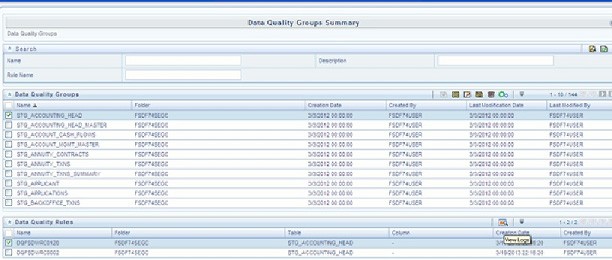
6. Click View Logs button. The View Logs window is displayed.
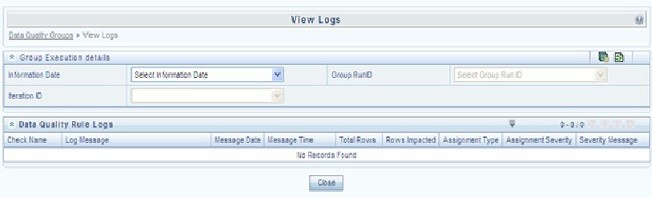
7. Select the Information Date from the drop down list.
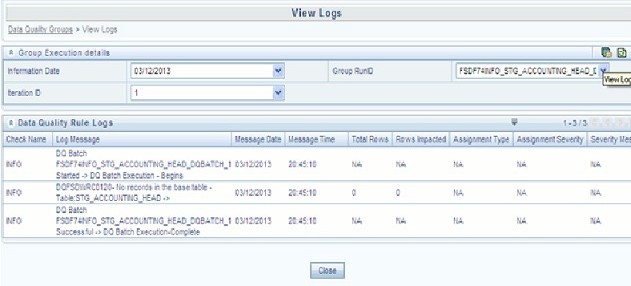
8. Select the Group Run ID from the drop down list.
9. Select the Iteration ID from the drop down list.
10. Click View Logs button. The details of the selected Group Execution are displayed.
Create a Batch for executing DQ Rules and add a Task to the selected Batch. Add component as RUN DQ RULE and in Dynamic Parameter List, add a DQ Group.
A single Batch can have multiple number of Tasks and each Task is executing the DQ Group. Batch execution facilitates the execution of multiple Groups simultaneously.
You can also use the Include or Exclude functionality to determine which all groups have to be executed. The following batches need to be executed in OFSDF.
|
V_BATCH_ID |
V_BATCH_DESCRIPTION |
|
<Infodom>_ALM |
Data Quality batch for ALM tables |
|
<Infodom>_CAMPAIGN |
Data Quality batch for CAMPAIGN tables |
|
<Infodom>_COLLATERAL |
Data Quality batch for Collateral tables |
|
<Infodom>_COLLEC‐ TION_AND_RECOVERY |
Data Quality batch for Collection and Recovery tables |
|
<Infodom>_CRM |
Data Quality batch for CRM tables |
|
<Infodom>_CUSTOMER |
Data Quality batch for Customer tables |
|
<Infodom>_EXPOSURE |
Data Quality batch for EXPOSURE tables |
|
<Infodom>_GL_AND_AC‐ COUNTING |
Data Quality batch for GL and Accounting group |
|
<Infodom>_LRM |
Data Quality batch for LRM tables |
|
<Infodom>_MAR‐ KET_RISK |
Data Quality batch for MARKET RISK tables |
|
<Infodom>_MASTER |
Data Quality batch for master tables |
|
<Infodom>_MISCELLA‐ NEOUS |
Data Quality batch for Miscellaneous tables |
|
<Infodom>_OP_RISK |
Data Quality batch for OP RISK tables |
|
<Infodom>_ORIGINATION |
Data Quality batch for Origination tables |
|
<Infodom>_PRO‐ DUCT_PROCESSORS |
Data Quality batch for Product Processors group |
|
<Infodom>_RATES |
Data Quality batch for Rates tables |
|
<Infodom>_RATING |
Data Quality batch for RATING tables |
|
<Infodom>_SECURITIZA‐ TION |
Data Quality batch for Securitization tables |
|
<Infodom>_TRANSAC‐ TIONS |
Data Quality batch for Transactions tables |
|
<Infodom>_TRANSAC‐ TION_SUMMARY |
Data Quality batch for Transaction Summary tables |
The DQ Batches and corresponding groups are detailed in the DQ Batch Group Mapping spreadsheet.
For more information regarding Batch Execution, refer to Operations module of Oracle Financial Services Analytical Applications Infrastructure User Manual.