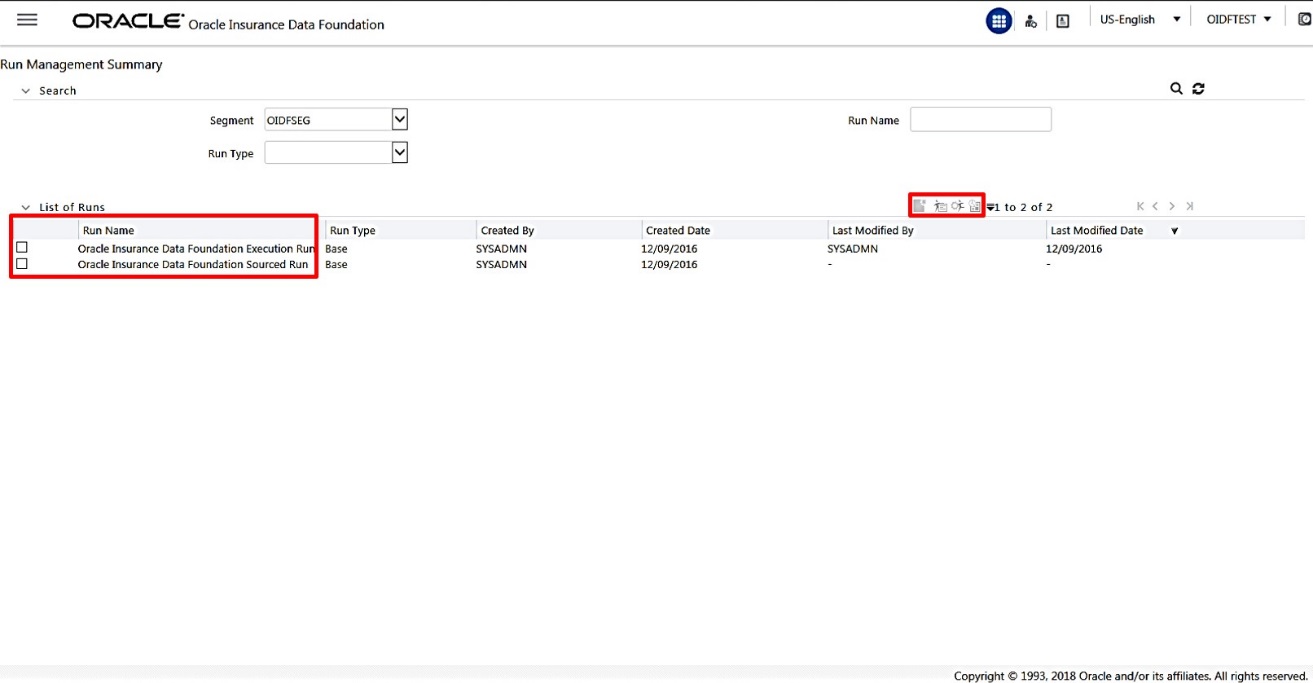
In the Run Management page, T2T Run parameters are setup. After creating the Run parameters, T2T batch can be executed either in the Run Management section or in the Batch Execution section.
|
NOTE |
Run Management feature is used to execute Run with parameters during the T2T process. OIDF Run consists only of T2Ts and a DT. For detailed information about the Run Management, see the chapter About Executing Run through Run Management. |
To set Run parameters for a T2T batch:
1. Navigate to the Run Management Summary page:
Click Oracle Insurance Data Foundation > Run Management > Run Management. The Run Management Summary page appears.
2. Select the Run Name.
In the List of Runs section, select the required Run Name. Select either Oracle Insurance Data Foundation Execution Run or Oracle Insurance Data Foundation Sourced Run.
3. OIDF application supports two types of Run processes.
§ Oracle Insurance Data Foundation Execution Run
For data movement in Run enabled tables, this Run can be executed any number of times per day with each unique Run SKey.
§ Oracle Insurance Data Foundation Sourced Run
For data movement from Stage tables to Result tables, this Run can be executed once per day, where the Result tables do not consist of Run SKey.
4. Set Run Default Parameters.
Click the Run Default Parameters icon. A pop-up window appears. Select required values for the following and click Save.
§ Reporting Currency
§ Legal Entity
§ Consolidation Type
§ Consolidation Hierarchy
§ GAAP Code
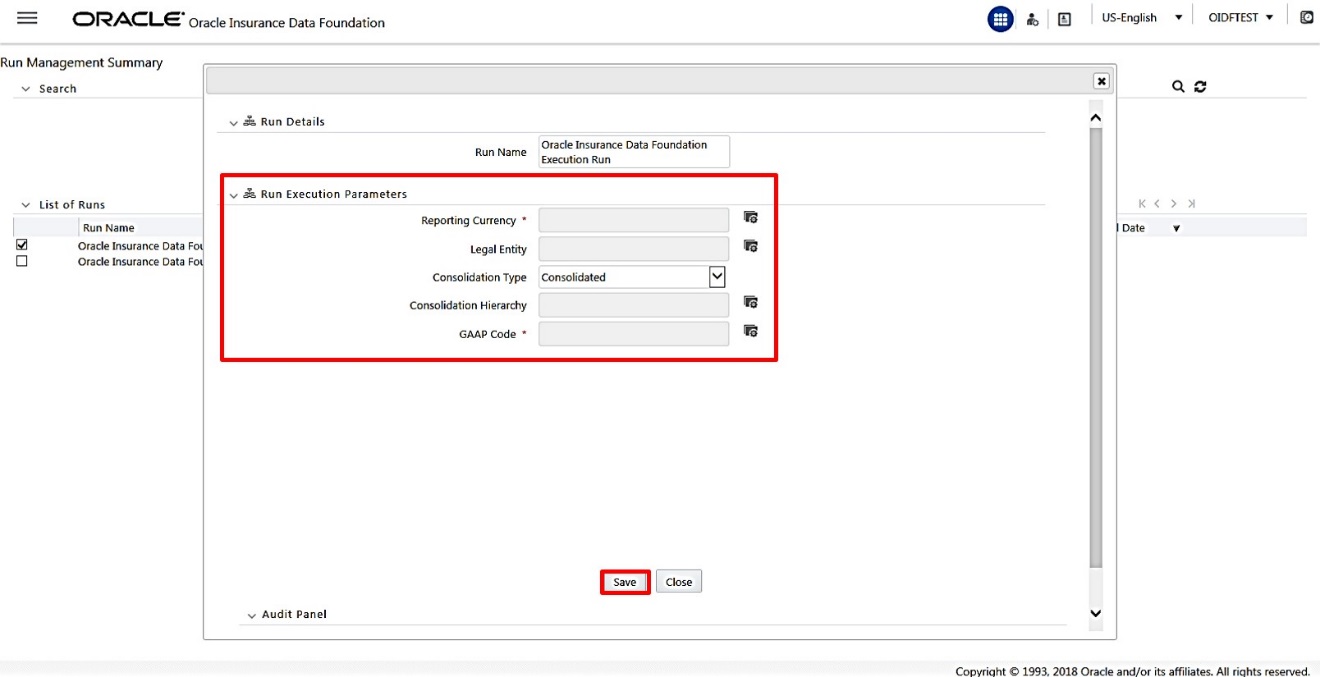
5. Set Run Execution Parameters.
In the Run Management Summary page, for the selected Run Name, click the Run Execution Parameters icon. A pop-up window appears.

6. Select the FIC_MIS date.
The values for the fields Reporting Currency, Legal Entity, Consolidation Type, Consolidation Hierarchy, and GAAP Code are populated in the earlier step.
Select the required Run date using the FIC MIS Date calendar icon.
Type a description in the Run Execution Description field. Use this is the description in the Batch Execution page to search for required batch.
Save the Run parameters in the next procedure.