Configuring the Secure Sockets Layer (SSL) Certificate
Use the steps in this procedure to configure the SSL certificate for use with
Oracle Enterprise Performance Management Cloud. A SSL is an encryption technology that builds an encrypted connection between the web server and the web browser.
To configure the SSL Certificate:
-
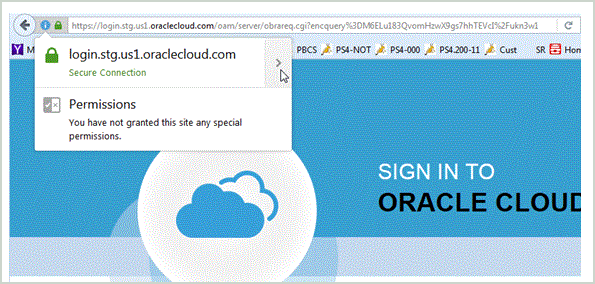
Export the SSL certificate for the
EPM Cloud
site.
The following example shows download information in a Mozilla Firefox browser.
-
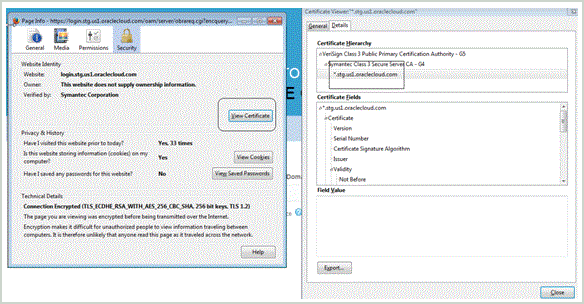
Select the site and view the certificate.
-
Select the site and view the certificate.
-
Copy the certificate file to your server, and import the certificate to the WebLogic keystore.
Note:
The following instructions are for the Demo Key store in Web Logic. If you are using the production data store, modify parameters accordingly-
Type:
C:\Oracle\Middleware\jrockit_160_37\jre\bin\keytool -importcert -keystore DemoTrust.jks -storepass DemoTrustKeyStorePassPhrase -file c:/temp/pbcs.crt -alias "pbcs_pod_name"
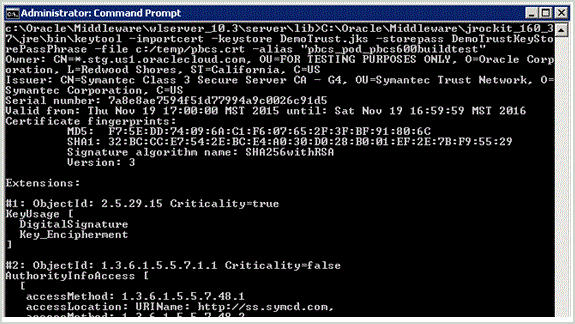 For the "file," specify the directory and certificate file name.For the "alias," specify the appropriate name.
-
Type:
C:\Oracle\Middleware\jrockit_160_37\jre\bin\keytool -importcert -keystore DemoTrust.jks -storepass DemoTrustKeyStorePassPhrase -file c:/temp/pbcs.crt -alias "pbcs_pod_name"
-
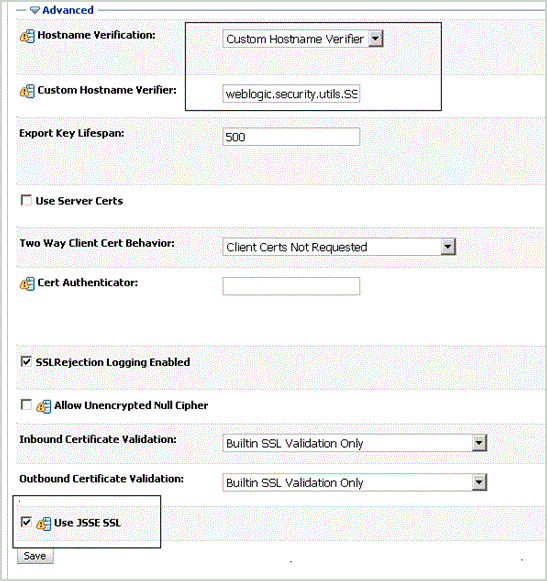
Using the WebLogic Admin Console, modify two WLS SSL settings.
-
Save and activate changes.
-
Save and activate changes.