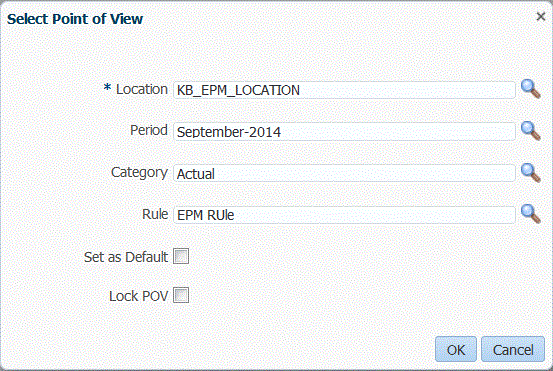
On the
Workflow
tab, under
Data Load, select
Data Load Workbench.
From the
POV
bar, double-click the
Location
field.
In
Select Point of View, in
Location, enter a full or partial string for the new location, and then click
OK.
Optional: To search on another location, from the
Location
drop-down, click
More, navigate to the location on the
Search and Select: Location
screen, and then click
OK.
Optional: In
Select Point of View, select
Set as Default
to use the new location as the default location.
When a POV selection is set as a default, the user profile is updated with the default selection.