Creating Driver Selections for a Single Intersection
To select a driver for a single intersection:
-
Select the POV and the Layer, then click
Go
 .
.
-
Select
Exceptions.
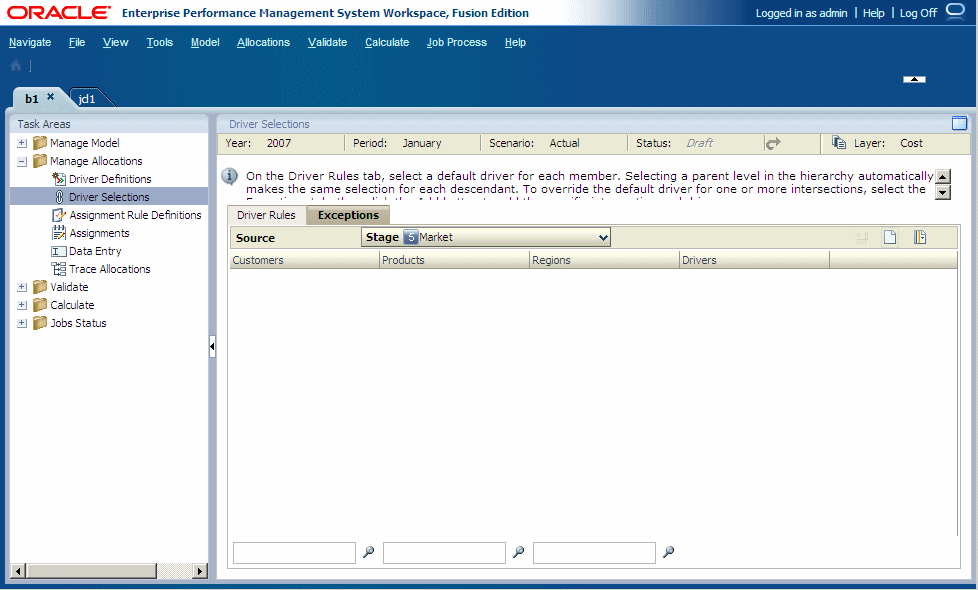
-
Optional:
On the
Exceptions
tab, click
Member Selector
 to filter the list of available dimensions:
-
Select the
Filter

-
Enter the filter criteria for one or more dimensions.
Enter the exact name or alias of the required members, or use a trailing asterisk (*) as a wild card to select a range of members, or a trailing question mark (?) to select a single character. For example, to find all members of a dimension that begins with the letter "M", enter "M*". Entering the asterisk before the letter does not work, for example "*M."

-
Select the
Filter
-
Click
Add
 .
.
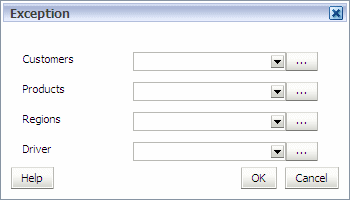
-
For each dimension listed on the Exception dialog box, click Selector
 and select the members required for the specific intersection to which you need to apply the exception driver.