Scheduling Taskflows
You can schedule the running of a taskflow on a one-time or recurring basis.
Note:
If you want to schedule the taskflow, you must have selected the “Run Later” option when you created the task.
To schedule taskflows:
-
In an open model, from
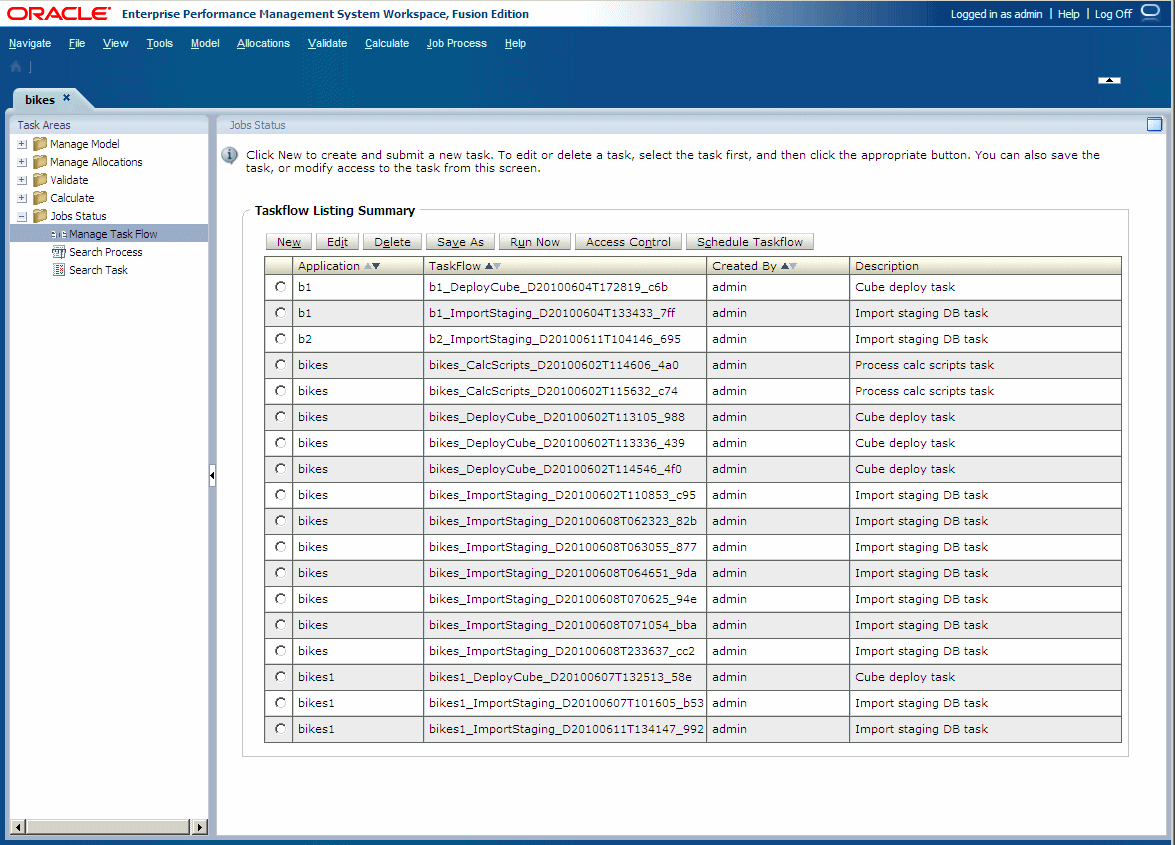
Task Areas, select Job Status, then Manage Task Flow.The Taskflow Listing Summary screen is displayed. The Summary displays this information for each existing taskflow:
-
Application Name in the format <product name>:<application ID>. For example, HPM:382728be43623bc2 where HPM is the product name and 382728be43623bc2 is the generated application instance ID.
-
Generated Taskflow Number
-
ID of the user who created the taskflow
-
Description of the purpose of the taskflow
Note:
A new task ID is generated each time you run a task.
-
-
Click
Schedule Taskflow.
-
Under
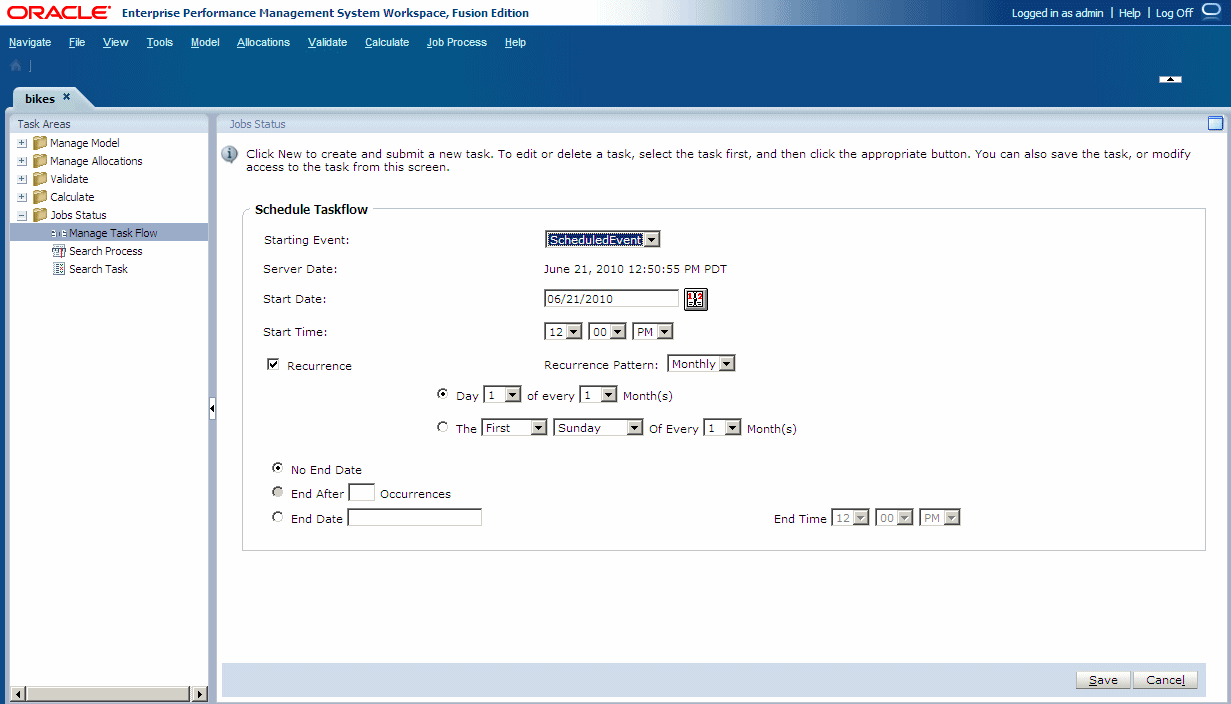
Start Date, click
calendar
 to select the date on which the taskflow is scheduled.
-
Optional: To run the taskflow until a specified date, select
End Date, and select the date and time of the final run:
-
Under
End Date, click
calendar
to select a date.
Note:
Calendar is displayed when the End Date option is selected.
-
Under
End Date, click
calendar