On the
General Settings tab of the
Map component edit view, you configure general
settings for the component as a whole. These settings are not specific to a map
layer.
On the
General Settings tab:
Under
Filtering:
To allow users to search the map using the range search, check
the
Enable geospatial range filtering via
marquee check box.
To allow users to search the map using the location text
search, check the
Enable geospatial filtering via text
search check box.
Under
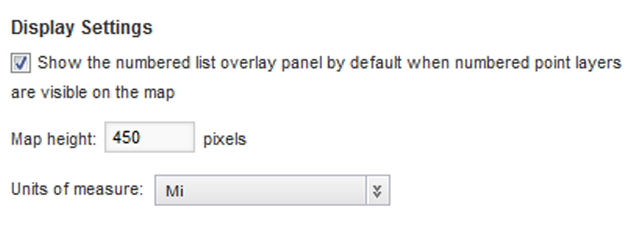
Display Settings:
If the map includes a numbered pin layer, then to display the
numbered pin list by default when the component is first displayed, check the
Show numbered list overlay panel by
default check box.
In the
Map height field, type the height in
pixels for the
Map component.
From the
Units of measure list, select the unit of
measurement to use for the map.
To use the preferred unit of measurement based on the current
locale, select
use locale default.
Otherwise, you can have the map always use either miles or
kilometers.