This chapter provides information on creating and executing data extract definitions to export the regulatory reporting data into .csv files. It allows you to export data for a specific report, or cells and schedules. You can also export the data from a Derived Entity.
To create an export definition, perform the following steps:
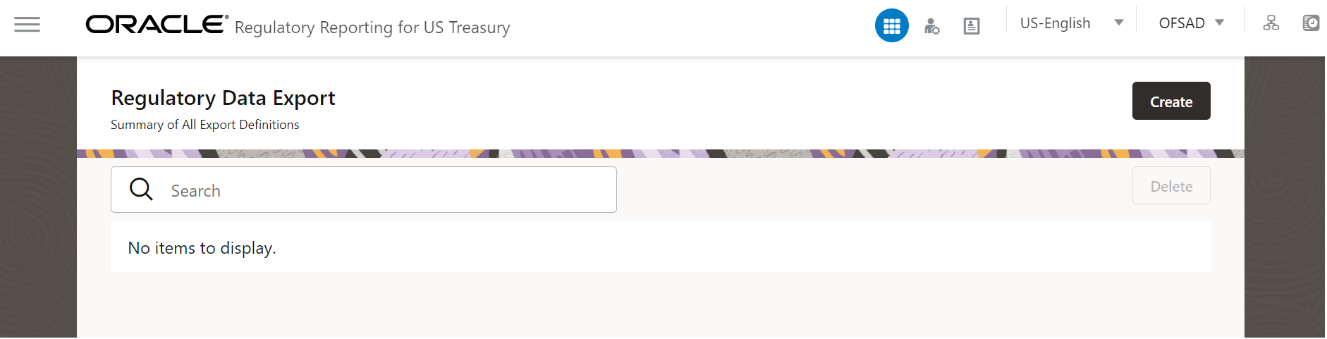
1. After logging into the OFSAAI applications page, navigate to Regulatory Reporting for US Treasury, select Data Extracts and then select Regulatory Data Extracts.
Figure 84: Regulatory Data Export page
2. Click Create. The New Model Definition page is displayed.
Figure 85: New Model Definition page
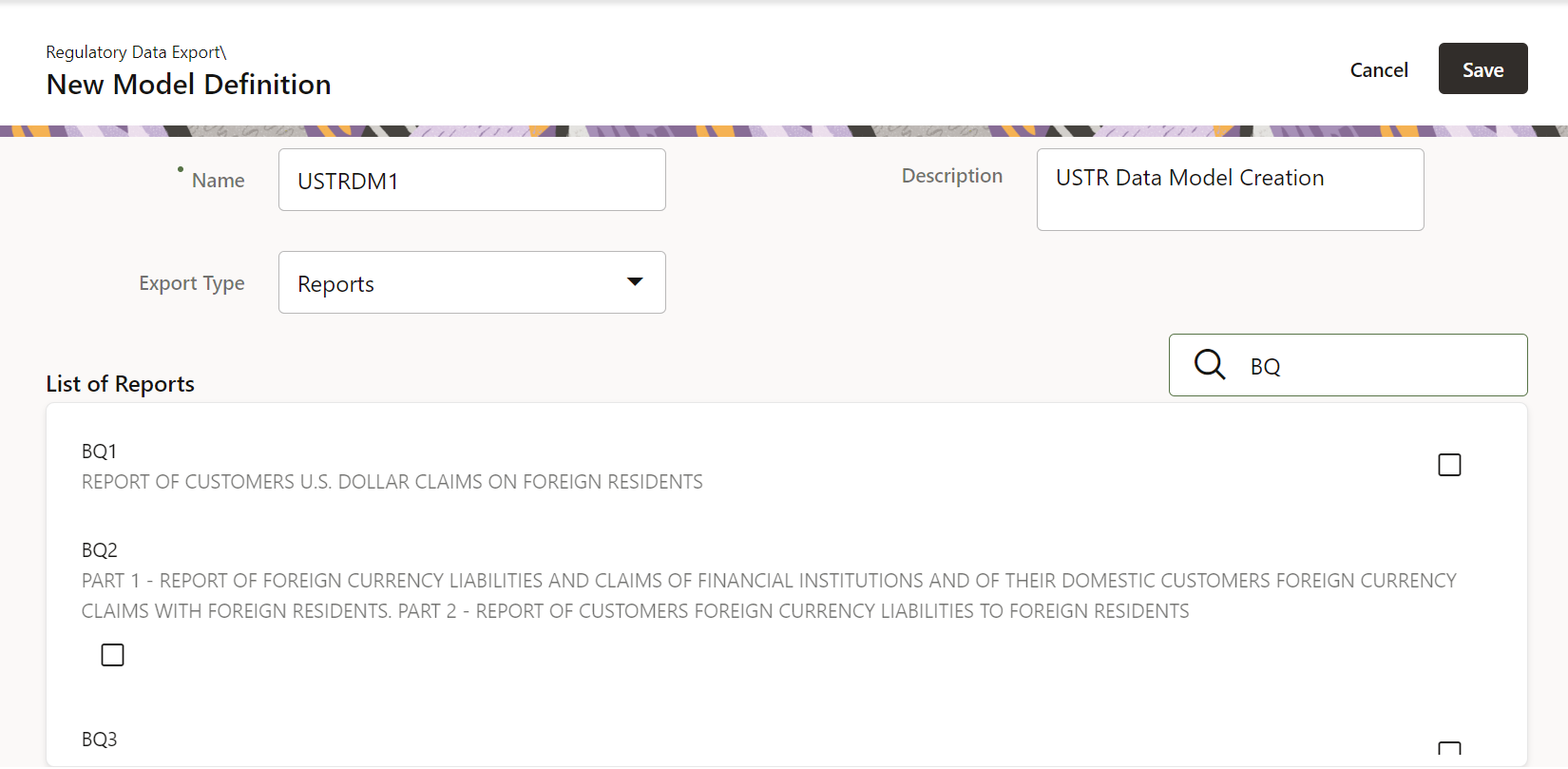
3. Select or enter the required values for each field as follows.
Table 17: Model Export Definition Fields and Descriptions
Field Name |
Description or Instruction |
|---|---|
Name |
Enter the name of the new model definition. |
Description |
Enter the new model definition description. |
Export Type |
Select the Export Type of the model from the dropdown list. |
Report |
This field is displayed only when the Export Type is either Schedule or Reporting Lines. Select the appropriate report from the drop-down list. |
Search |
Search for a specific object from the available list. |
4. Select the required objects from the list by marking the checkbox.
5. Click
Save to complete the Export definition
creation.
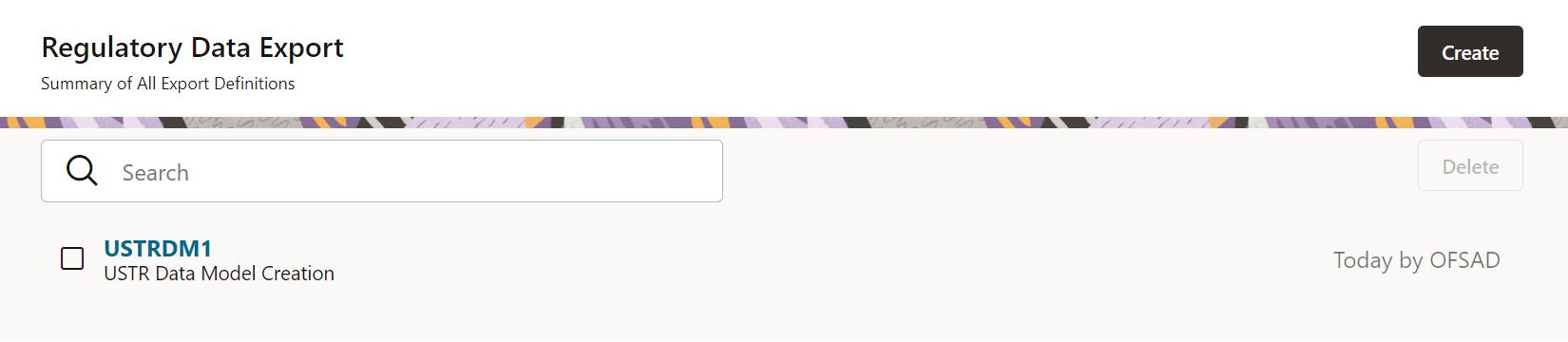
On successful creation of the Export Definition, the Regulatory
Data Export Definitions Summary page is displayed.
Figure 86: Regulatory Data Export Definitions Summary page
To edit and view an export definition, perform the following steps:
1. Click on the Export Definition that you wish to edit or view from the Export Definitions Summary page.
Figure 87: Regulatory Data Export Definitions Summary page
The Edit or View Export Definition page appears.
Figure 88: Edit or View Export Definition page
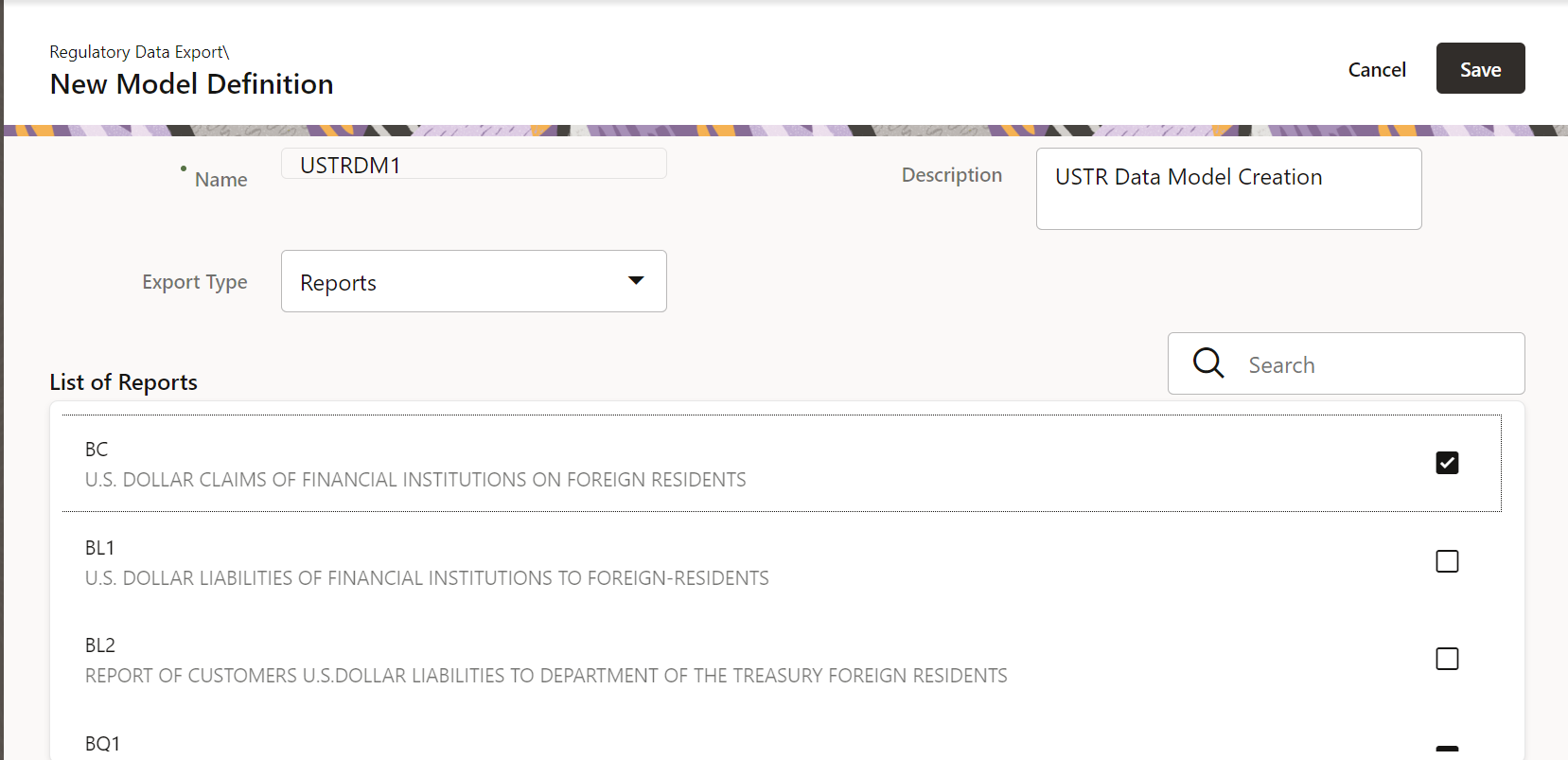
2. You can update the existing information if required and click Save to save the changes in the Export Definition or click Cancel to cancel if there is no modification in the Export Definition.
To delete an export definition, perform the following steps:
1. Select a Model Export Definition from the Export Definitions Summary page.
Figure 89: Delete Regulatory Data Export Definition page
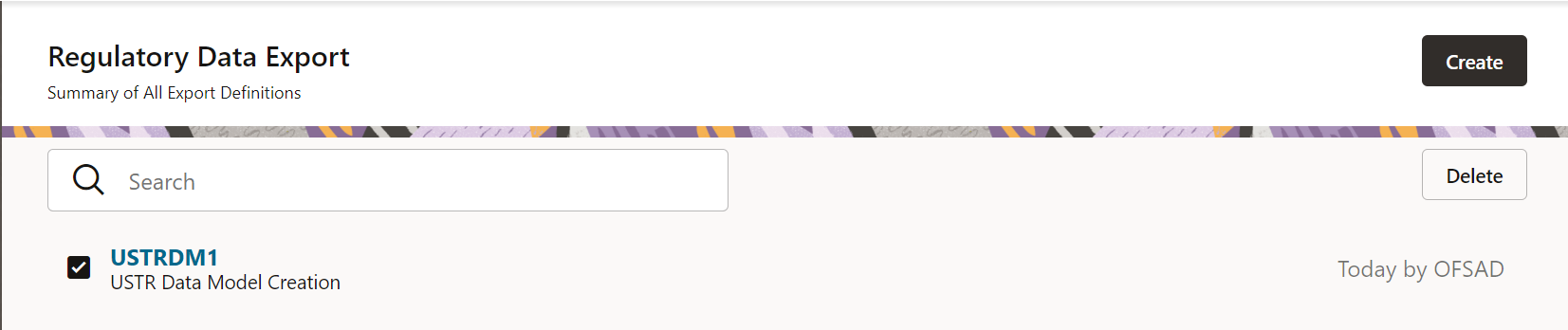
2. Click Delete to delete the Export Definition.
After the Export Definition has been created, a process must be created in the Run Pipeline and must be executed through the Process Modelling Framework.