Review and Resolve Time Entry Exceptions
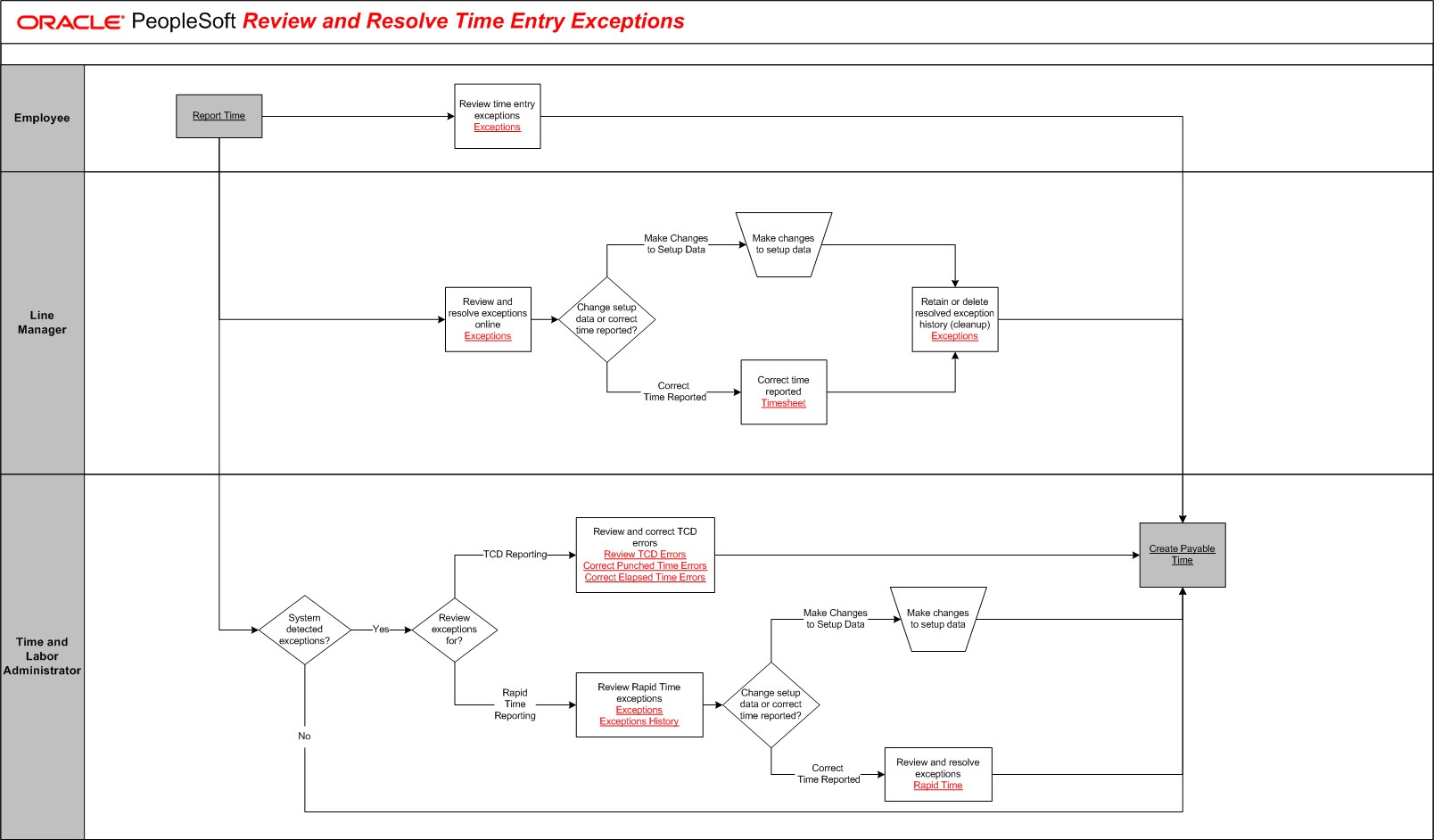
The tables on this page list the tasks for this business process, grouped by role. Some roles may be listed more than once if their tasks are performed at different points in the process. Follow the task numbers in order, unless the Task Description column provides instructions to go to a different task number. Click links in the Task Description column to view detailed diagrams for those tasks or to go to the online help for those pages.
Employee
Task Number | Task Description |
|---|---|
1 | Perform external activity:. Stop and complete Report Time. In parallel: Go to task number 2, Go to task number 3, Go to task number 8. |
2 | Review time entry exceptions. Go to task number 15. |
Line Manager
Task Number | Task Description |
|---|---|
3 | Review and resolve exceptions online. |
4 | Change setup data or correct time reported?. In parallel: Go to task number 5, Go to task number 6. |
5 | Make changes to setup data. Go to task number 7. |
6 | Correct time reported. |
7 | Retain or delete resolved exception history (cleanup). Go to task number 15. |
Time and Labor Administrator
Task Number | Task Description |
|---|---|
8 | System detected exceptions?. In parallel: Go to task number 15, Go to task number 9. |
9 | Review exceptions for?. In parallel: Go to task number 10, Go to task number 11. |
10 | Review and correct TCD errors. Go to task number 15. |
11 | Review Rapid Time exceptions. |
12 | Change setup data or correct time reported?. In parallel: Go to task number 13, Go to task number 14. |
13 | Make changes to setup data. Go to task number 15. |
14 | Review and resolve exceptions. |
15 | Perform external activity:. Stop and complete Create Payable Time. End of activity. |
16 | No. End of activity. |