Exchanging Pension Data with PEKA
This topic discusses how to exchange pension data with PEKA.
|
Page Name |
Definition Name |
Usage |
|---|---|---|
|
GPCH_RC_EGOVT |
Send & Request Data for:
|
|
|
GPCH_RC_EGOVT |
Receive Data:
|
|
|
Bracket Data Page |
GP_BRACKET_DATA |
Maintain the relationship between pension provider and Global Payroll elements in bracket CH_PK_BR005. |
Use the Year End Processing CHE — Transmit Options page (GPCH_RC_EGOVT) for downloading BVG Data.
Navigation
Image: Year End processing CHE page — Downloading BVG Data
Year End processing CHE page — Downloading BVG Data
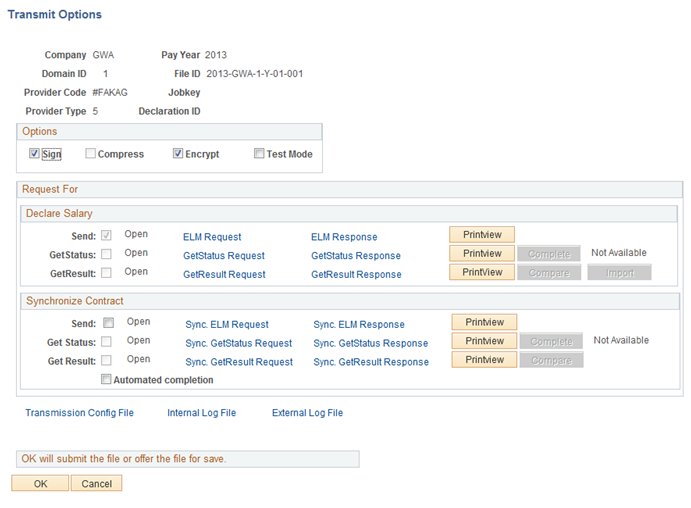
Select required process:
|
Field or Control |
Definition |
|---|---|
| Send |
Data for Salary / Synchronize. |
| Get Status |
Request End receiver Status. |
| Get Result |
Request Contributions / Synchronize Response. |
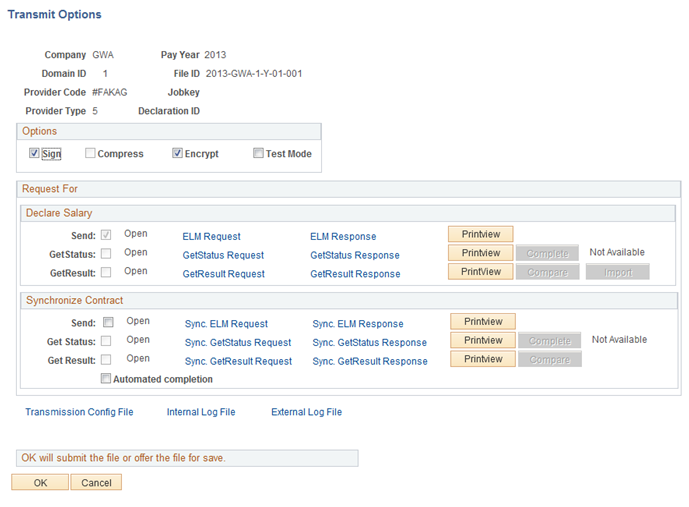
Use the Year End processing CHE — Transmit Options page (GPCH_RC_EGOVT) for uploading BVG Data.
Navigation
Image: Year End processing CHE page — Transmit Options page Compare / Import
Year End processing CHE page — Transmit Options page Compare / Import
|
Field or Control |
Definition |
|---|---|
| Declare Salary | |
| Get Result / Compare |
Compares BVG_LPP Response with BVG_LPP Data in current DB and launches a compare report via BI Publisher. |
| Get Result / Import |
Import BVG_LPP deductions received from BVG_LPP provider as Earning-/Deduction Assignment. The earning mappings follows the bracket CH_PK_BR005. |
| Sychronize Contract (only BVG_LPP) | |
| Get Result / Compare |
Compares BVG_LPP Response with BVG_LPP Data in current DB and launches a compare report via BI Publisher. |
For more details see Generating and Managing Dashboard XML
Image: BVG Data
BVG Data
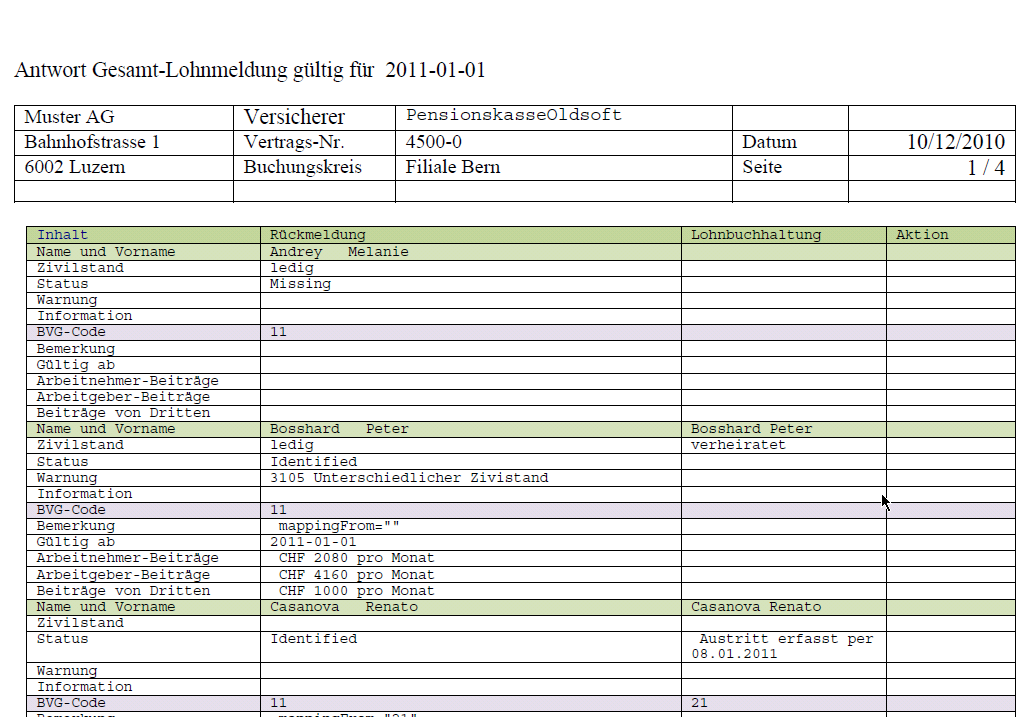
For more details how to run dashboard, see Generating and Managing Dashboard XML