Navigation Path: Supply Chain Finance > Inquiry > Accounting Inquiry
Search
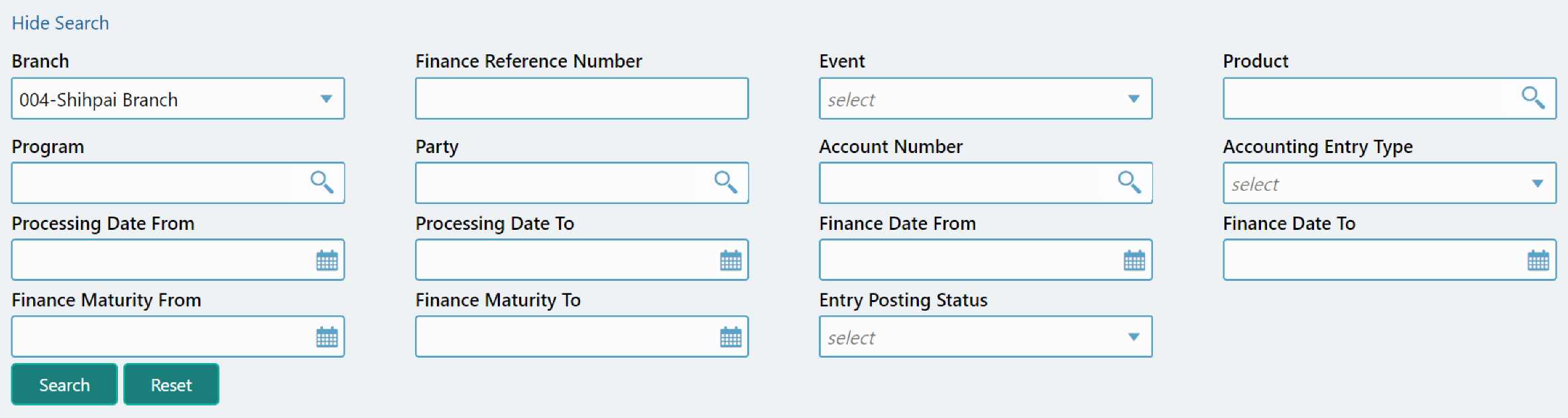
|
Field Name |
Description |
|
Branch |
The branch of an account. |
|
Finance Reference Number |
Finance reference number. |
|
Event |
Select the event to search the account for. |
|
Product |
Click on the Search icon to select the product. |
|
Program |
Click on the Search icon to select the program. |
|
Party |
Click on the Search icon to select the party. |
|
Account Number |
Click on the Search icon to select the account number. |
|
Accounting Entry Type |
Select the account entry type. |
|
Processing Date From |
Click the calendar icon to select the date post which the accounting is processed. |
|
Processing Date To |
Click the calendar icon to select the date before which the accounting is processed. |
|
Finance Date From |
Click the calendar icon to select the date post which the account is financed. |
|
Finance Date To |
Click the calendar icon to select the date before which the account is financed. |
|
Finance Maturity From |
Click the calendar icon to select the start date of date period to be considered for finance maturity date duration. |
|
Finance Maturity To |
Click the calendar icon to select the end date of date period to be considered for finance maturity date duration. |
|
Entry Posting Status |
Specify the status of an accounting entry to inquire for. |
You can perform an account inquiry by specifying any of the below fields.
Click Search to view the result or click Reset to clear the search criteria. The search result screen is displayed below:
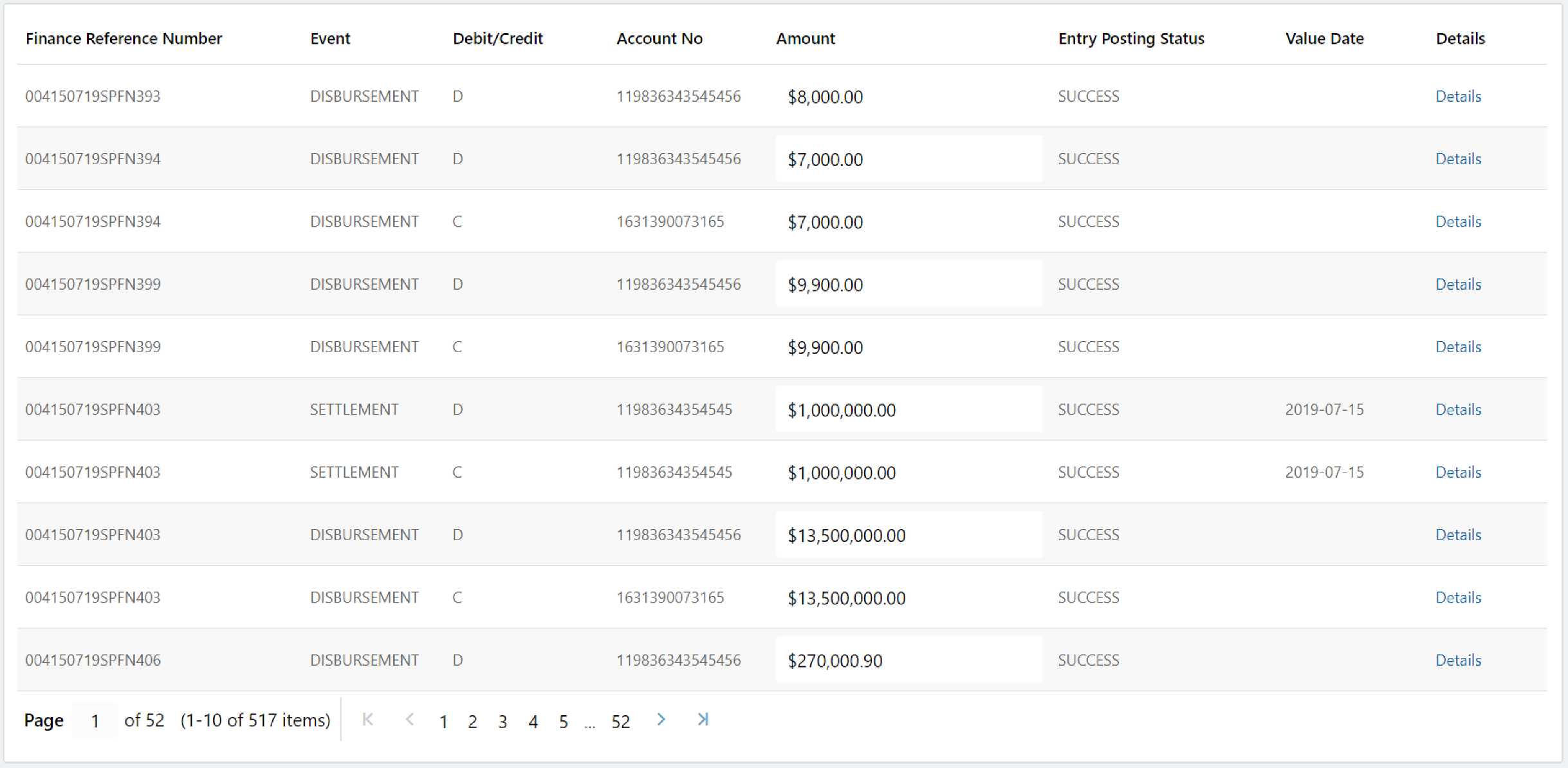
In Details column, click the Details link for a specific Finance Reference number to view its details:

Click Cancel (X) icon to close the details window.