Navigation Path: Supply Chain Finance > Inquiry > File Inquiry
Search

|
Field Name |
Description |
|
File Name |
Complete or partial file name to inquire for. |
|
File Reference Number |
complete or partial file reference number to search for. |
|
File Type |
Select the file type to search for. |
|
Channel |
Select the channel by which the file is uploaded. |
|
Upload Date From |
Click the Calendar icon to select the date post which the file is uploaded. |
|
Upload Date To |
Click the Calendar icon to select the date after which the file is uploaded. |
|
Status |
Select the current status of the file. |
Click Search to view the result or click Reset to clear the search criteria. The search result screen is displayed below:
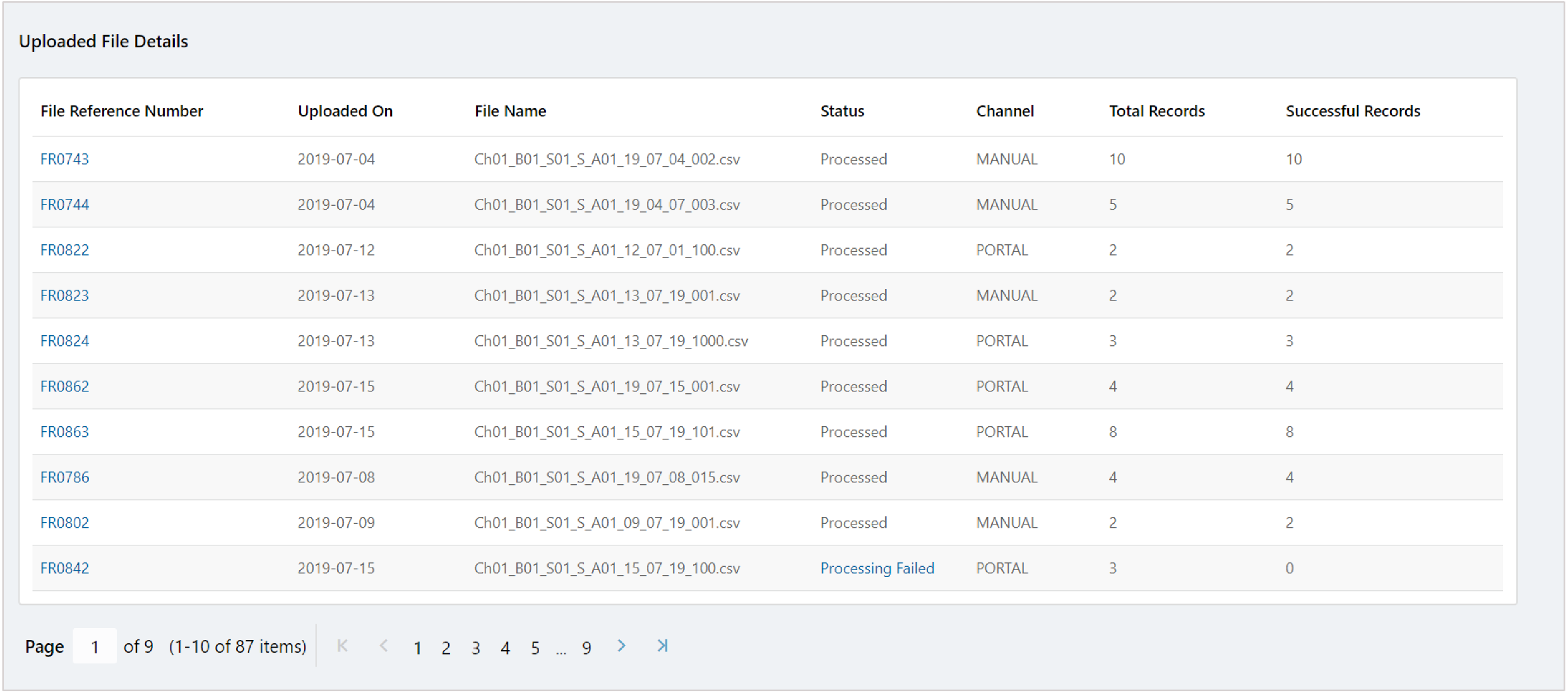
In File Reference Number column, click on the required number to view its details:
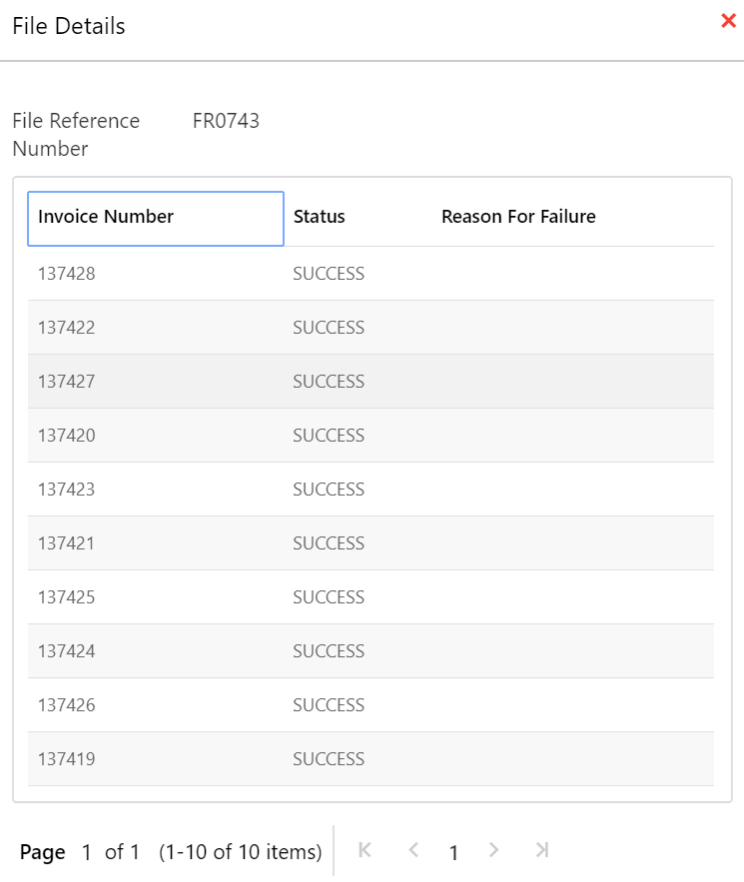
Click Cancel (X) icon to close the details window.