Navigation Path: Supply Chain Finance > Inquiry > Finance Inquiry
Search
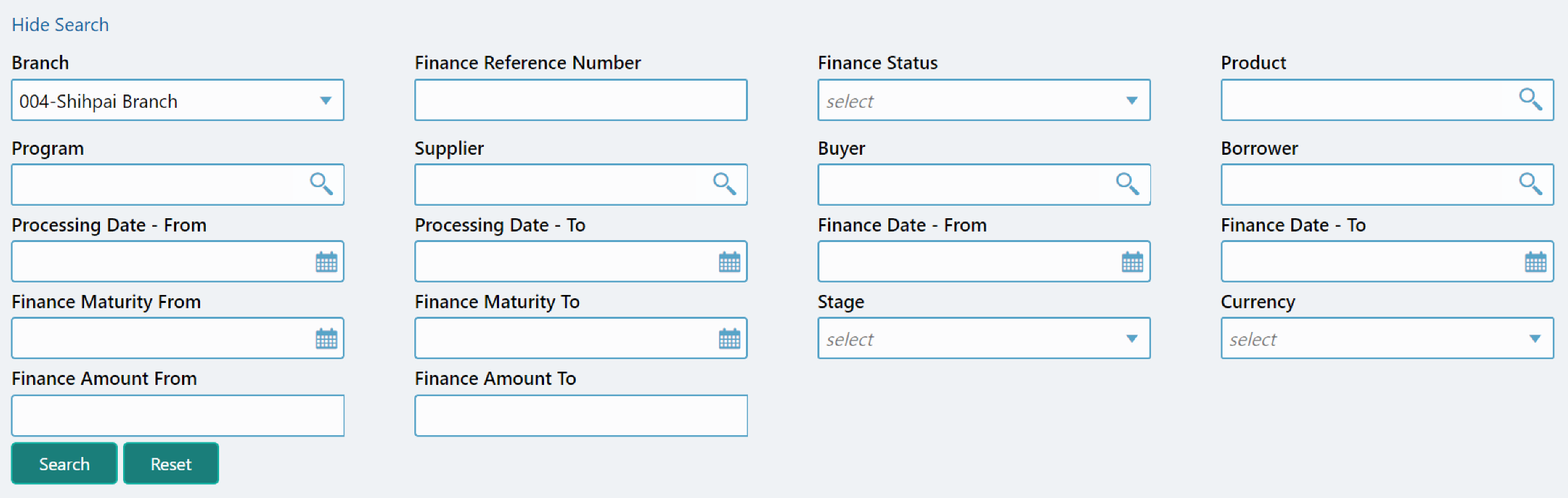
|
Field Name |
Description |
|
Branch |
Select the account branch. |
|
Finance Reference Number |
Enter the finance reference number to search details for. |
|
Finance Status |
Select the current finance status to inquire for. |
|
Product |
Click the Search icon to select the product for which the finance is processed. |
|
Program |
Click the Search icon to select the product for which the finance is processed. |
|
Supplier |
Click the Search icon to select the supplier party of the finance. |
|
Buyer |
Click the Search icon to select the buyer party of the finance. |
|
Borrower |
Click the Search icon to select the borrower. |
|
Processing Date - From |
Click the calendar icon to select the date post which the finance is processed. |
|
Processing Date - To |
Click the calendar icon to select the date before which the finance is processed. |
|
Finance Date - From |
Click the calendar icon to select the date post which the financing is done. |
|
Finance Date - To |
Click the calendar icon to select the date before which the financing is done. |
|
Finance Maturity From |
The date post which finance maturity date falls. |
|
Finance Maturity To |
The date before which finance maturity date falls. |
|
Stage |
Select the current finance stage to inquire for. |
|
Currency |
Select the finance currency. |
|
Finance Amount From |
Specify the lowest amount of the finance amount range. |
|
Finance Amount To |
Specify the highest amount of the finance amount range. |
Click Search to view the result or click Reset to clear the search criteria. The search result screen is displayed below:
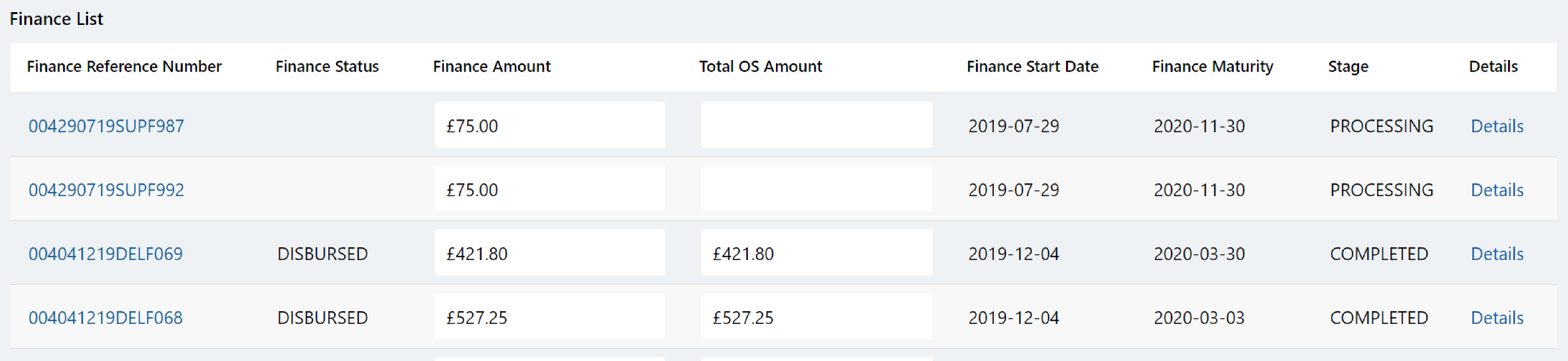
In Finance Reference Number column, click on the number to view its details:
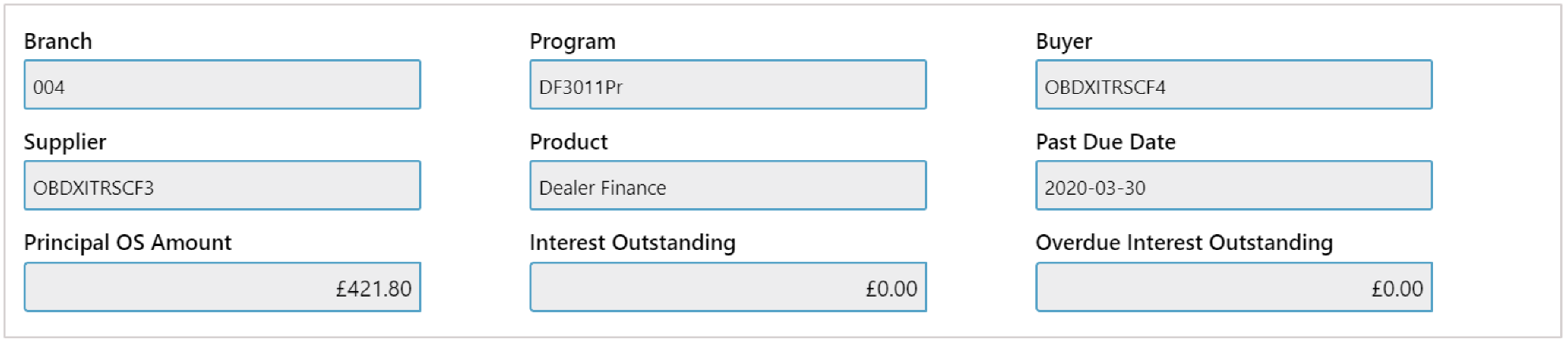
Click Cancel (X) icon to close the details window.